
Tenant admin guide
This Guide is for Tenant admins. A Tenant admin can do everything a Manager can, so for the admin app’s daily work, the menu, Rooms, Devices and Printers read the Manager guide, and for service the Waiter guide. This Guide holds only what a Tenant admin adds: who works at the venue and how they sign in, the venue’s language and currency, how guests pay by card, the VAT rates, and the Audit log. Each topic is one task, with an example from Beizli Muster, where Anna is the Tenant admin, Michael the Manager and Silvia serves.
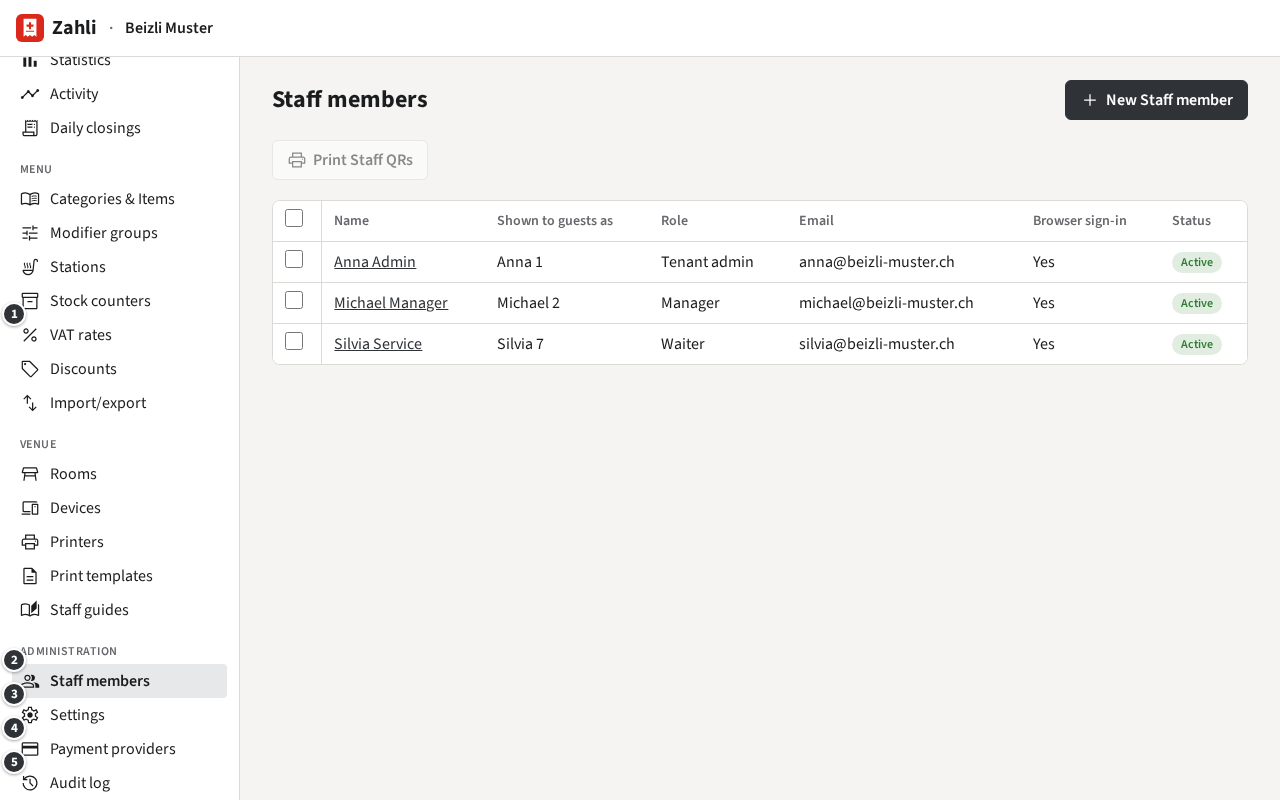
Your pages
Section titled “Your pages”You sign in like a Manager (Signing in in a browser) and see the same sidebar, with these pages added:
- ① Menu → VAT rates: the VAT rates every Item names.
- ② Administration → Staff members: the Staff members, their Roles, passwords and Staff QRs.
- ③ Settings: besides the Manager’s cards, you change the security settings, the locale and currency and the Twint code.
- ④ Payment providers: the venue’s accounts at Payment providers and which one each Payment method goes through.
- ⑤ Audit log: the Audit log, who changed what.
On Menu → Discounts you also create, change and remove the Discount presets, which a Manager only reads (Discount presets): fill in the empty row at the end with a name, the Type, the value and whether Waiters may use, and click Add. A menu file that creates or changes VAT rates can only be imported by you (Menu import and export).
The words this Guide uses
Section titled “The words this Guide uses”Besides the words of the Waiter and Manager guides:
- Role: what a Staff member may do, one of Waiter, Manager and Tenant admin.
- Staff QR: a printed card that signs its Staff member in on the venue’s phones instead of the password.
- Payment provider: the company that takes card Payments for the venue, today Stripe. The venue’s Provider account is its account there, one for test and one for live mode.
- Terminal Location: the venue’s address as Stripe knows it; the phones take Tap to Pay there.
- VAT rate: a named percentage, such as the standard rate of 8.1 %. Every price includes it.
- Audit log: the record of every change to the venue’s settings, staff and money.
- Global admin: Zahli’s own staff, who set up the venue and can act as its Tenant admin when you ask them for help.
The first steps: add your Staff members and decide how they sign in.