
VAT rates and Takeaway
Every Item names one of the venue’s VAT rates, and every price includes it: Zahli works out the VAT in each price for the Receipt and the Daily closing. The rates are under Menu → VAT rates; Managers choose one per Item but cannot change them.
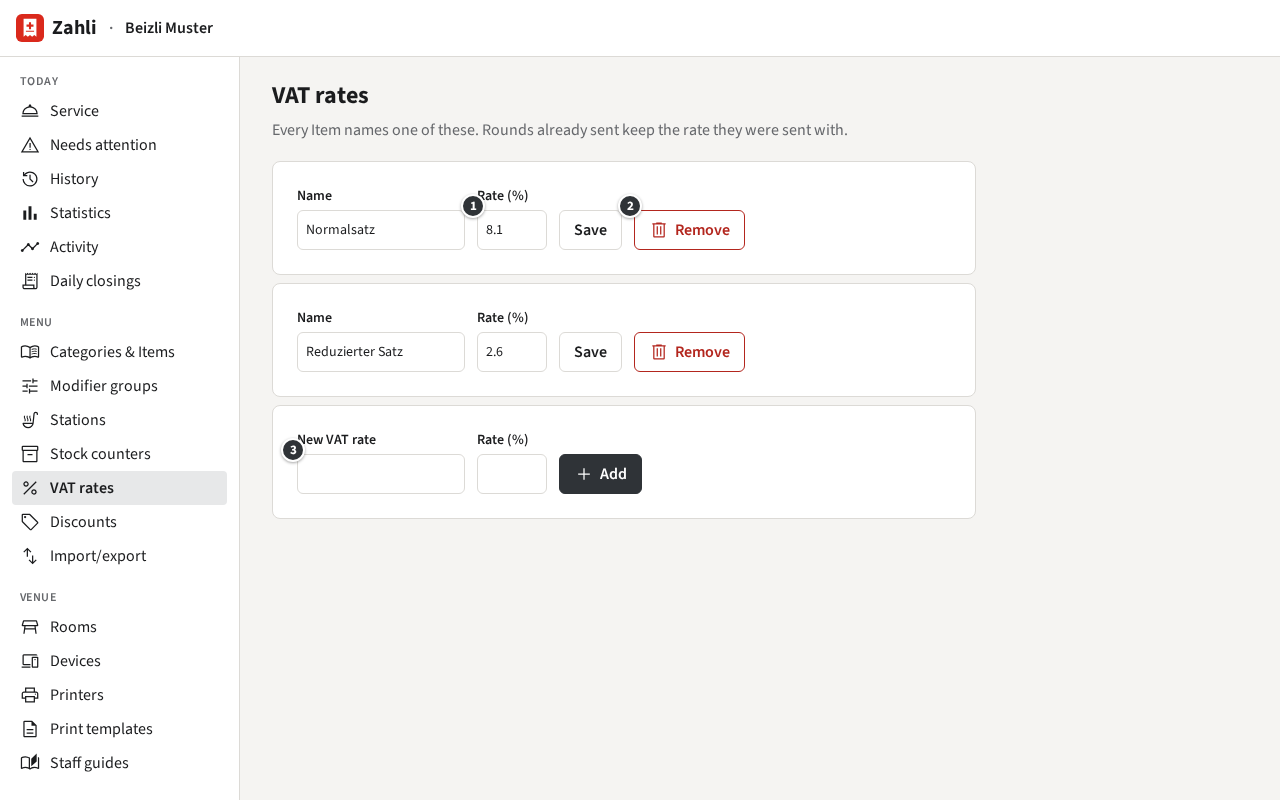
Add a VAT rate
Section titled “Add a VAT rate”In the empty row at the end, enter a name and the ③ Rate (%), such as
8.1, and click Add. The name appears on the Receipt’s VAT table and the Daily
closing, so name it as your accountant does.
Example: Beizli Muster has two. Normalsatz at 8.1 % for what guests eat and drink at the table, Reduzierter Satz at 2.6 % for what they take away.
Change a rate
Section titled “Change a rate”When the law changes a rate, change ① Rate (%) in its row and click Save on the day it takes effect, ideally before service. Prices stay as they are, since they include VAT; what changes is how much of each price is VAT. Rounds already sent keep the rate they were sent with, so Receipts and Daily closings of earlier days do not change.
Example: should the standard rate rise from 8.1 % to 8.3 %, Anna changes Normalsatz to 8.3
after the last Daily closing of the old year. A cordon bleu still costs CHF 32.00; a little more of
it is VAT. If Beizli Muster wants to pass the rise on, Michael changes the prices
(Categories and Items).
② Remove works only for a rate no Item uses: give those Items another rate first.
Takeaway
Section titled “Takeaway”Zahli has no Takeaway switch on a Tab yet: an Item is always sold at its own VAT rate, wherever the guest eats it. Where food to take away pays the reduced rate, make it an Item of its own with that rate.
Example: Beizli Muster sells a Kafi crème at the table for CHF 4.50 at 8.1 %, and a Kafi zum Mitnehmen for CHF 4.00 at 2.6 %, in a Category of its own, Über die Gasse. When a guest at the counter takes the coffee along, Silvia taps Kafi zum Mitnehmen there.