
Your language
The admin app and the staff app speak English and German. Your choice is saved with you, so both apps show it in every browser and on every phone you sign in to. Amounts and dates keep the venue’s format, such as CHF 1’234.50.
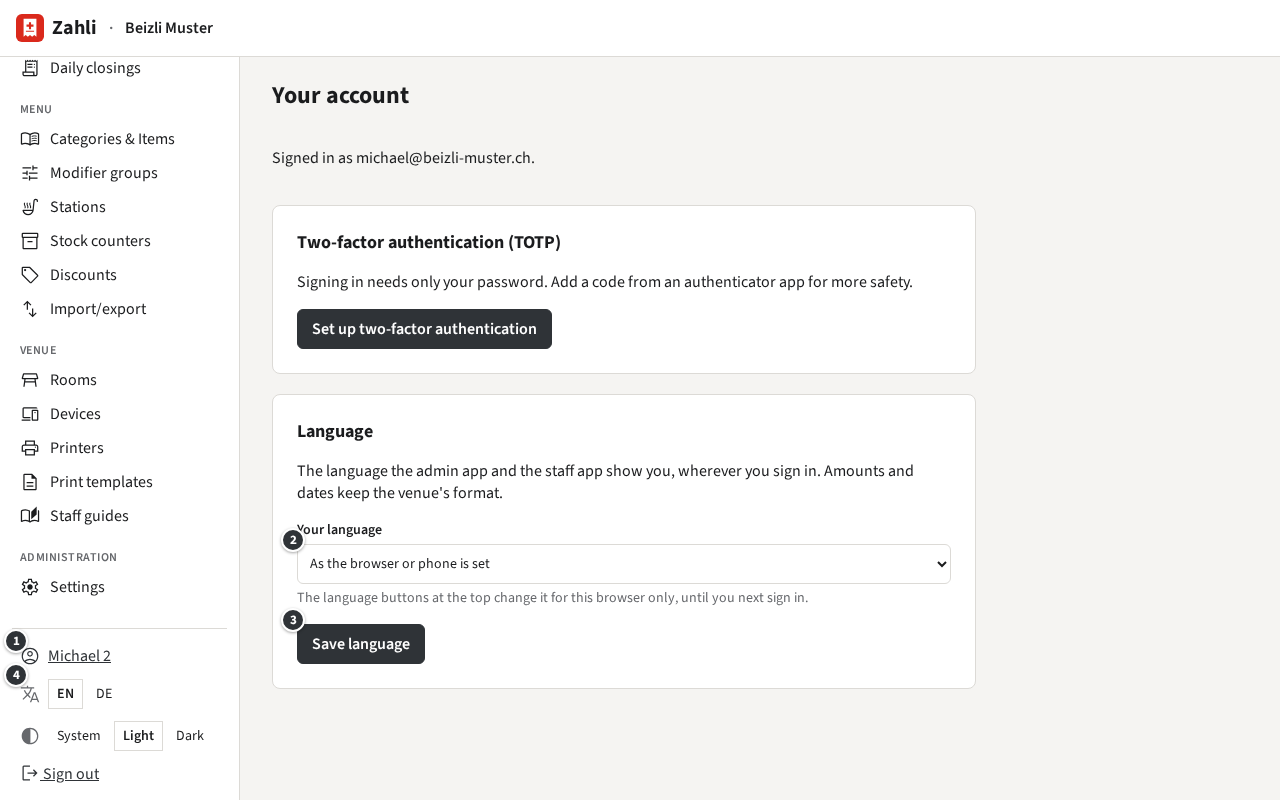
- Click your name ① at the foot of the sidebar: Your account opens.
- Under Your language ②, pick English or German. As the browser or phone is set follows the browser’s or the phone’s own language.
- Click Save language ③.
Example: Michael picks German. The admin app switches at once, and the staff app shows German too, on the office laptop as on the phone S-001.
The language switch ④ at the foot of the sidebar, EN and DE, changes the language of this browser only, until you next sign in. In the staff app the same choice of your own is under Settings → Your language, as in Your language of the Waiter guide.