
Manager guide
This Guide is for Managers. A Manager serves like a Waiter, so for service read the Waiter guide; this Guide holds only what a Manager adds: the admin app in a browser, test mode, and money matters on any Tab in the staff app. Each topic is one task, with an example from Beizli Muster, where Michael is the Manager, Silvia serves and Anna is the Tenant admin.
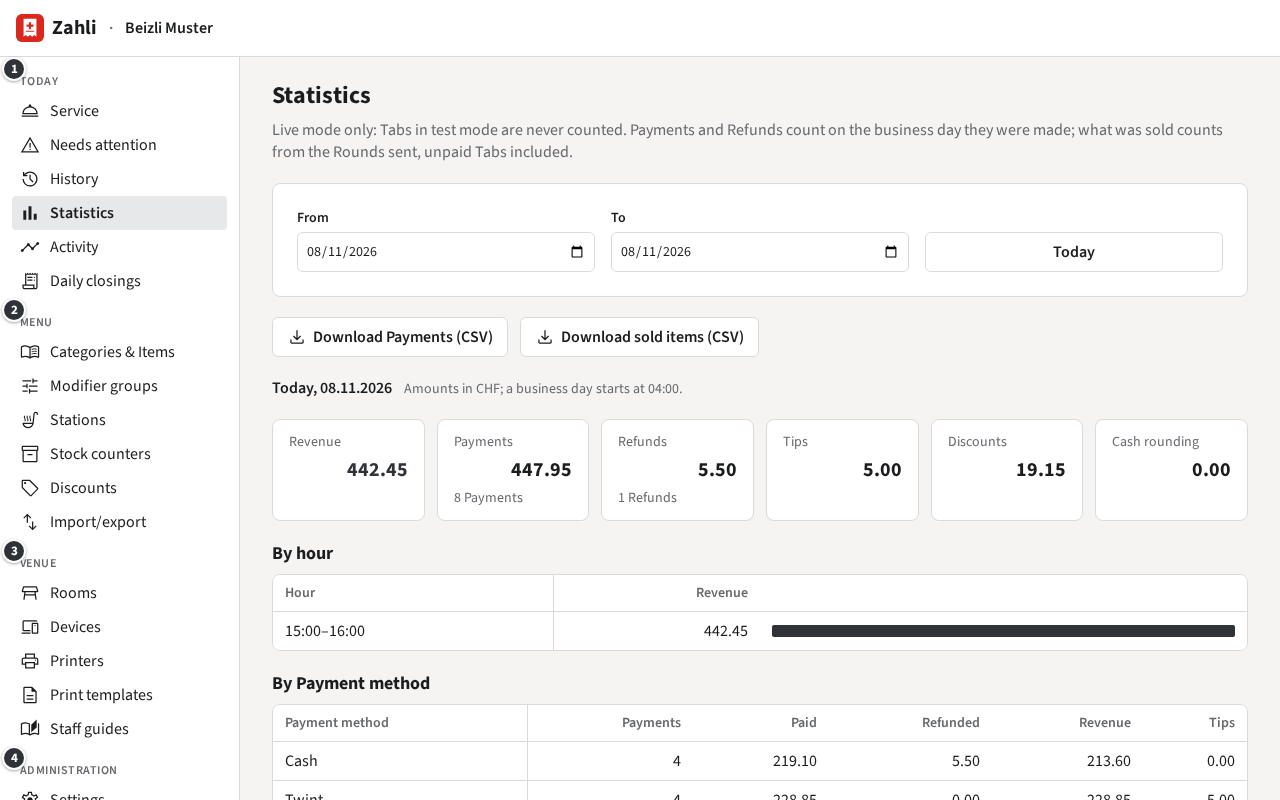
The admin app
Section titled “The admin app”Open app.zahli.ch in a browser on a laptop or tablet and sign in. The
sidebar groups the pages:
- ① Today: the day. Service opens the staff app; then Needs attention, History, Statistics, Activity and Daily closings.
- ② Menu: Categories & Items, Modifier groups, Stations, Stock counters, Discounts and Import/export.
- ③ Venue: Rooms, Devices, Printers, Print templates and Staff guides.
- ④ Administration: for a Manager only Settings.
The foot of the sidebar holds your name (it opens Your account), the language and colour switches, and Sign out.
A Tenant admin looks after the rest: Staff members with their passwords and Staff QRs, VAT rates, Payment providers, the Audit log and new Discount presets. In Settings a Manager sees the Twint code and Locale and security but cannot change them. At Beizli Muster that is Anna’s; see the Tenant admin guide.
The words this Guide uses
Section titled “The words this Guide uses”Besides the words of the Waiter guide:
- Admin app: the management pages in a browser, for Managers and Tenant admins. The staff app is where you serve, on a phone or in a browser.
- Category and Item: the menu’s groups and what guests order. A Modifier group is a set of Modifiers with a rule for how many may be picked.
- Stock counter: something the venue can run out of, such as Schoggikuchen; at zero its Items are Sold out.
- Device: a phone or tablet enrolled into the venue, a staff phone such as S-001 or the kitchen terminal K-001. Enrolment binds it with a one-time code.
- Printer: a named place to print, such as Theke, for Tickets, Receipts or Guest slips.
- Business day: the period one Daily closing covers. It starts at the venue’s cut-off time, at Beizli Muster 04:00, not at midnight.
- Activity: what each Device, Printer and Staff member did over a period.
- Correction: taking paid items back off a Tab. The guest gets the money back with a Refund.
- Test mode: Tabs that move no real money and count in no statistics.
The first steps: sign in, choose your language, and look at Needs attention every day.