
Daily closing
A Daily closing records a business day’s takings once and for all: revenue per Payment method, VAT per rate, Tips per Staff member, cash rounding, and the cash you counted against the cash expected. Like the statistics, it counts live Tabs only. Once made, a closing can never be changed.
Close the day
Section titled “Close the day”- Open Today → Daily closings. The page shows what closing the current business day would record now; Business day picks another day not closed yet.
- Check the figures. Expected cash is the cash taken, cash Tips included.
- If live Tabs are still open, they are listed ① and block the closing. Settle them first, or tick Carry these Tabs over ② and give a Reason: they then count in the next closing once paid. Test Tabs never block.
- Count the cash in the till, without its float, and enter it under Counted cash ③. Difference shows how far it is off.
- Click Close business day ④. The closing opens.
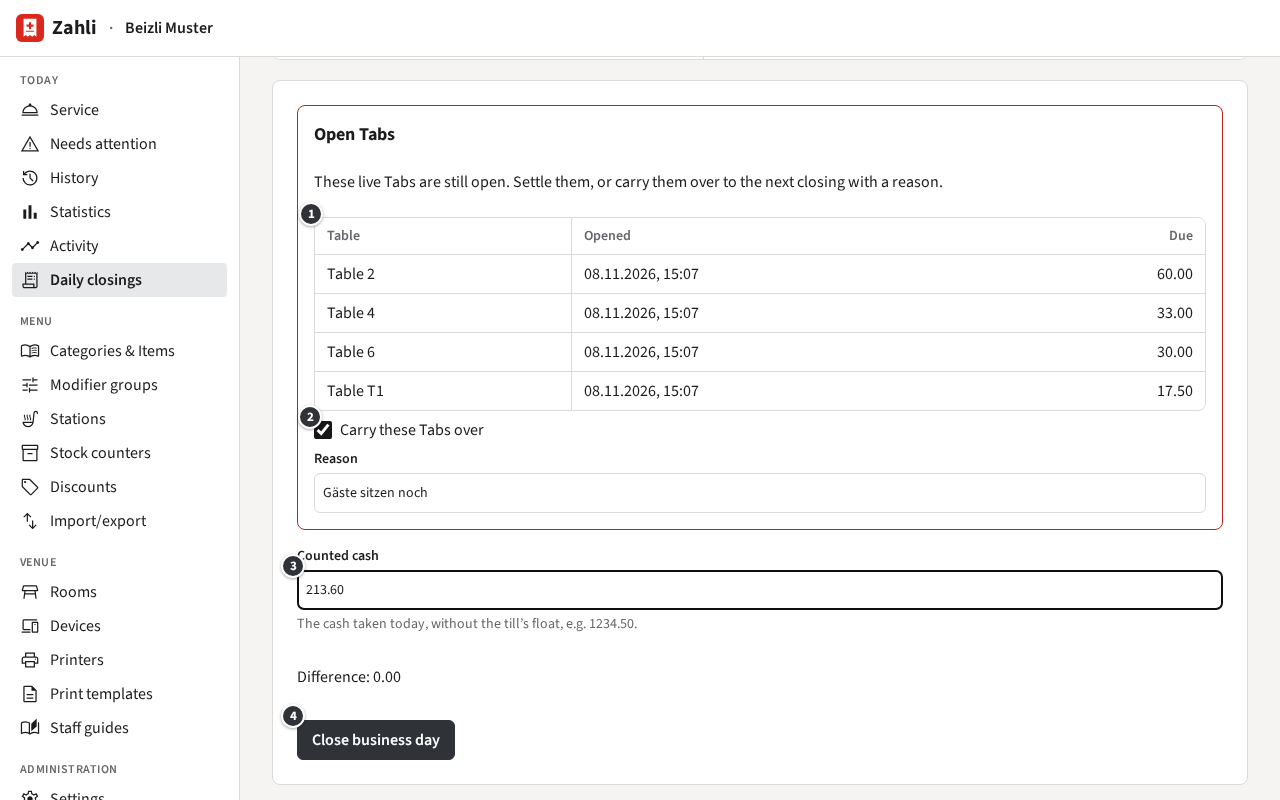
A closing also counts the Payments and Refunds of earlier days that no closing has counted yet, and says so. A day before the latest closed one can no longer be closed.
Look at a closing and print it
Section titled “Look at a closing and print it”Under Closings the page lists every closing, the latest first, with revenue, expected and counted cash, the difference, how many Tabs were carried over and who closed it. Click a day to open its closing.
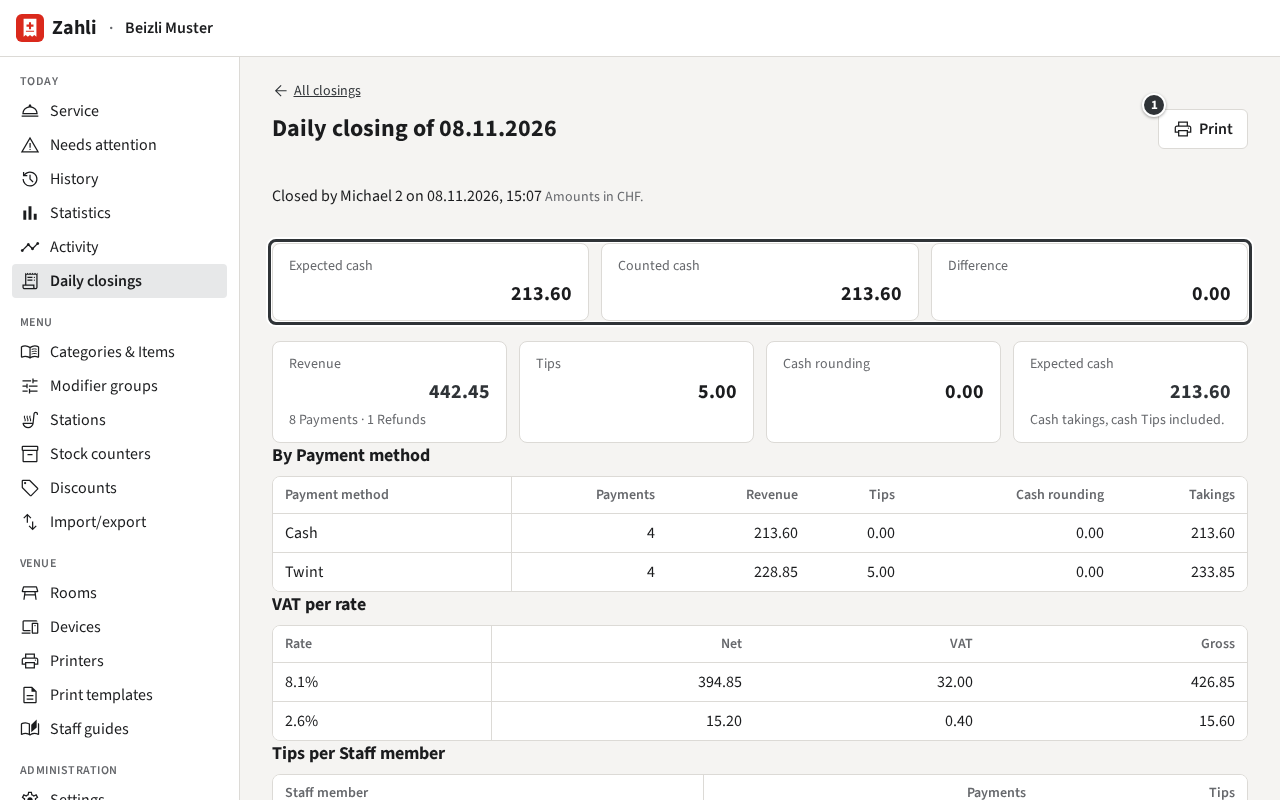
The top row compares the cash expected, counted and the difference; below come the figures and the Tabs carried over with the reason. Print ① prints the closing on the venue’s default receipt Printer (see Printers).
Example: at the end of lunch Michael counts CHF 213.60 in the till, exactly the expected cash, so the difference is 0.00. Tables 2, 4, 6 and T1 are still sitting, so he ticks Carry these Tabs over with the reason “Gäste sitzen noch”, clicks Close business day and then Print for the folder behind the counter.