
Round done
This guide shows what applies to your venue.Show everything
Only with a kitchen terminal
Your kitchen marks each Ticket done on its kitchen screen. Once every Ticket of a Round you sent is done, a banner tells you, on whatever screen you are.
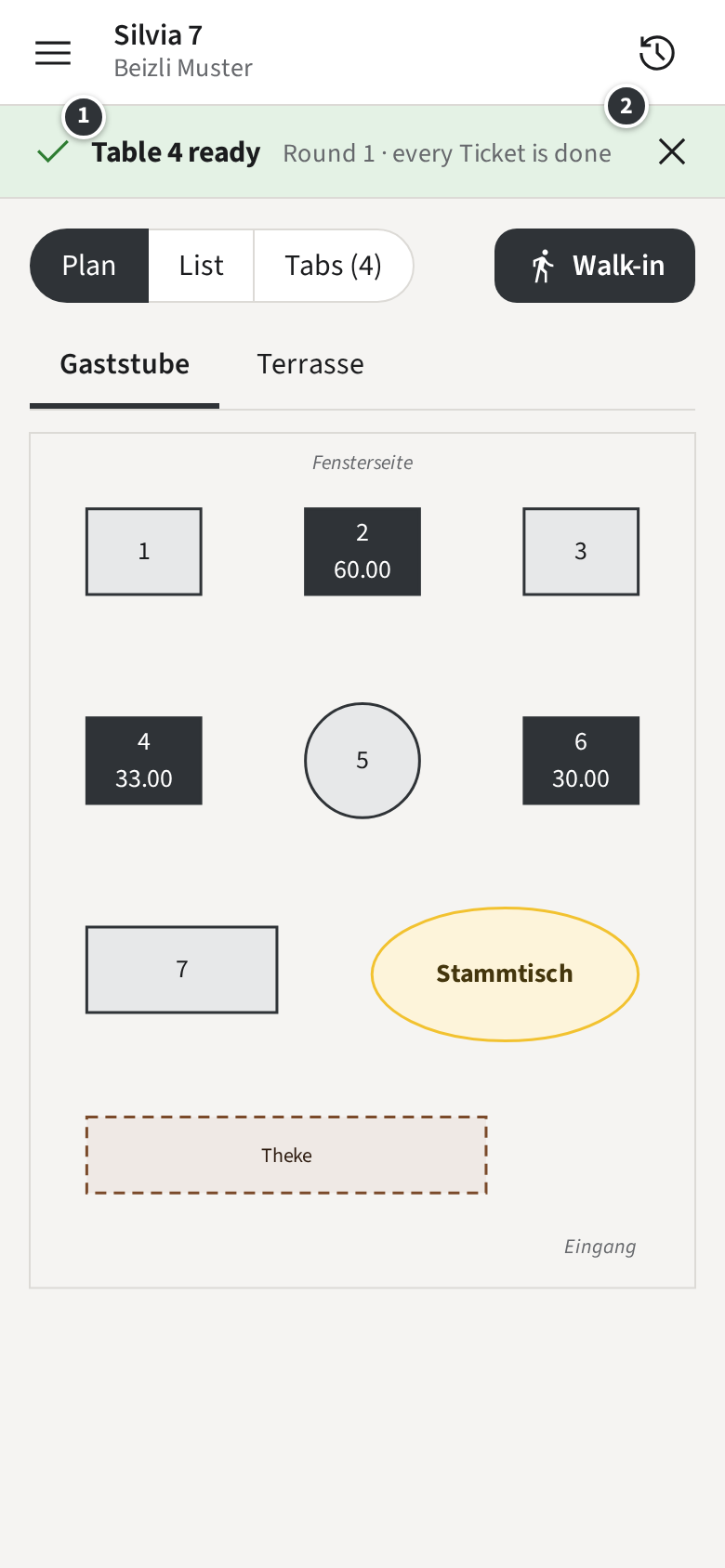
- ① names the place, such as Table 4 ready, or the Pickup number of a Walk-in. Tap it to open the Tab and serve.
- ② dismisses the banner.
Only the Staff member who sent the Round gets the banner. On the Tab, the Round shows Ready.
Only without a kitchen terminal
Your kitchen works from printed Tickets, so the staff app does not know when a Round is done; the kitchen tells you as usual.