
Modifier groups and Follow-up groups
A Modifier group is a set of choices the staff app asks for with an Item, such as the side of a cordon bleu (Taking a Round). One group can be offered with many Items. They are under Menu → Modifier groups.
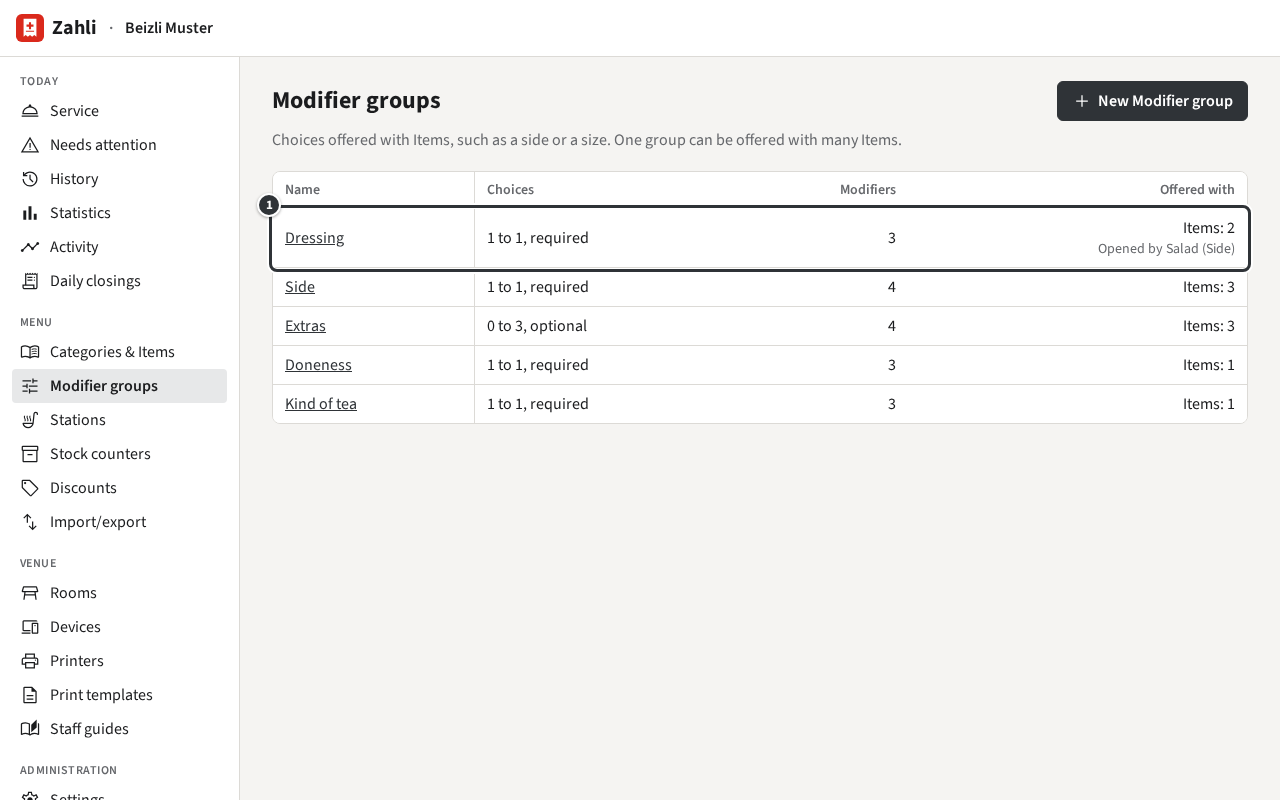
The list shows how many Modifiers each group has to pick, how many Modifiers it holds, and how many Items offer it. A Follow-up group also says which Modifiers open it ①: Dressing is offered with Items: 2 and is Opened by Salad (Side).
Create or change a group
Section titled “Create or change a group”- Click New Modifier group, or a group’s name to change it.
- Enter the name and, under Choices per unit, how many may be picked for one unit of an Item: At least and At most. Tick Required if the Waiter must pick; an optional group may be skipped.
- Under Modifiers, click Add Modifier for each choice and enter its name and Price change ①: added to the Item’s price, VAT included; 0.00 for none, negative for a cheaper choice. ↑ and ↓ set the order the dialog shows; Remove takes a Modifier out.
- Click Create or Save.
- Offer the group with its Items: tick it under Modifier groups offered in each Item’s form (Categories and Items).
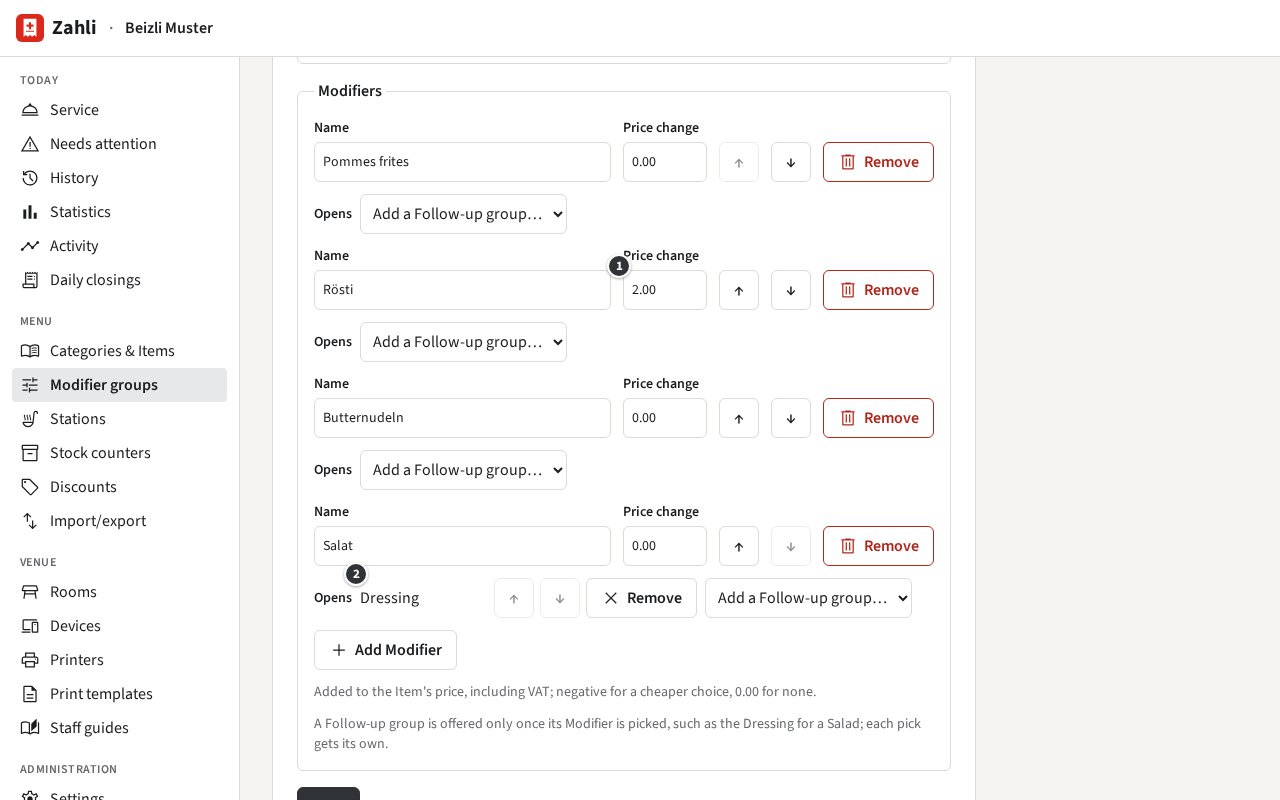
Example: Beizli Muster’s Side is required, at least 1 and at most 1, so the Waiter picks exactly one side; Rösti costs 2.00 more. Extras is optional, 0 to 3: up to three of cheese, egg, bacon or no onions.
A required group needs at least 1, the minimum may not be above the maximum, and a group needs at least as many Modifiers as its minimum; the form says which rule a change breaks. Rounds already sent keep the picks and prices they were sent with.
Follow-up groups
Section titled “Follow-up groups”A Modifier can open further groups, which the dialog offers only once it is picked. Under the Modifier, Opens ② lists them:
- Choose a group in Add a Follow-up group….
- Choose another for a second one; ↑ and ↓ set their order, Remove stops opening one.
- Click Save.
Example: in Side, Salad (Salat in the form, which shows the German names) opens Dressing. A cordon bleu with salad then asks for a dressing, one with rösti does not. The Waiter sees the group right after the side, titled Dressing · Salad.
- A Follow-up group is an ordinary group: Beizli Muster also offers Dressing directly with the green salad.
- Its rules apply only while it is offered: Dressing is required, but only once salad is picked.
- Each pick opens its own copy, so two sides picked each get their own dressing.
- A Follow-up group may open others in turn, at any depth, but never itself: a change that makes a loop is refused, naming the chain.
- When a required Follow-up group has fewer choices left than its minimum, because Stock counters ran out, the Modifier that opens it is hidden. If all dressings were gone, Salad would disappear from the sides.
Delete a group
Section titled “Delete a group”Remove Modifier group, at the bottom of its form, deletes it at once, without asking first. The hint next to it says how many Items offer it; they and the Modifiers that open it no longer do. Removing a single Modifier from a group (Remove, then Save) also drops the groups it opened. Rounds already sent keep their picks.