
Choosing Stations
A kitchen terminal shows the Tickets of the Stations chosen on it: one, such as only the Bar, or several. A Manager makes the Stations and their colours; which of them a tablet shows is chosen on the tablet itself, and it keeps that choice.
Tap Stations at the top of the screen:
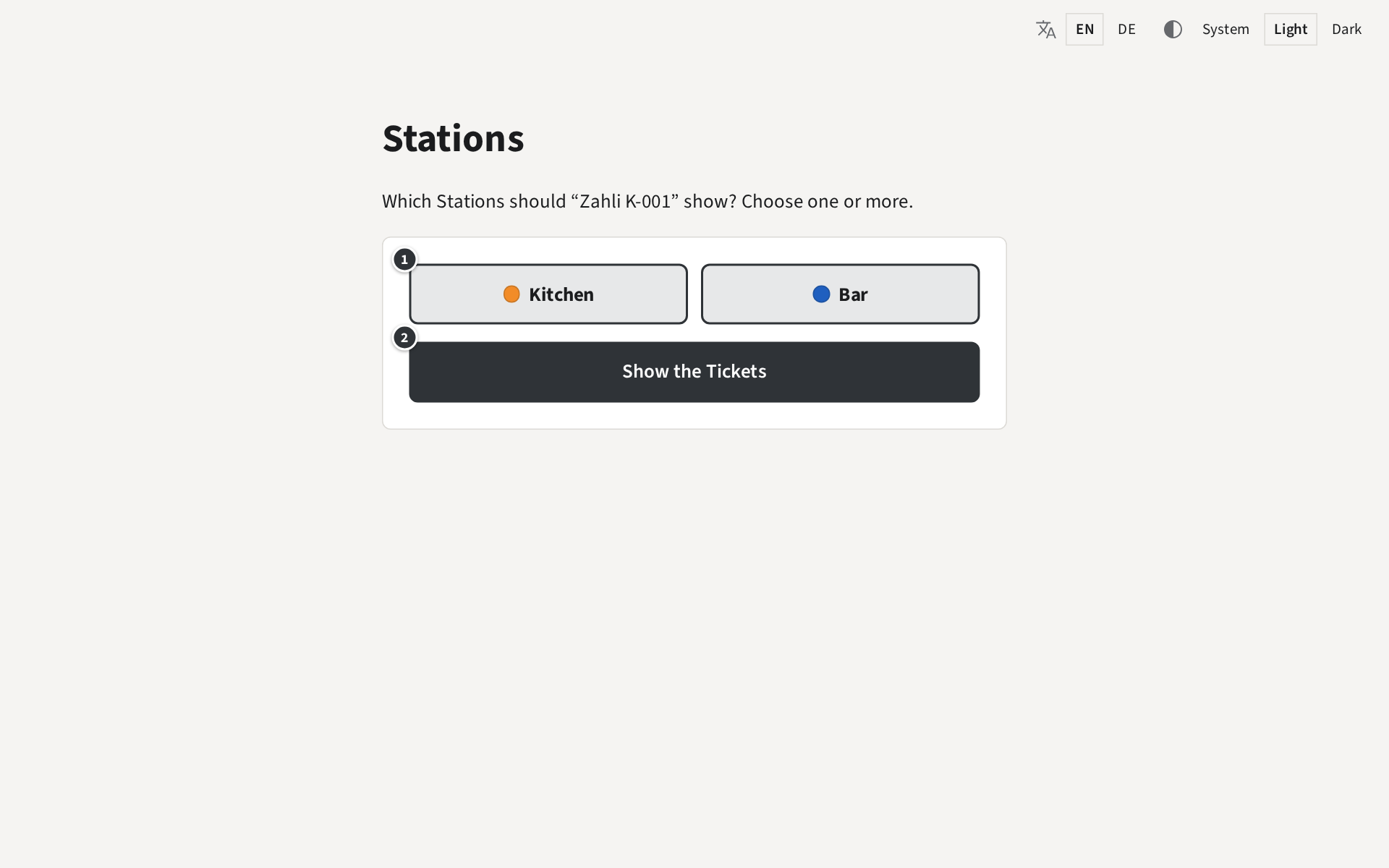
- ① tap a Station to choose it, tap it again to leave it out. A chosen Station is framed and bold.
- ② Show the Tickets goes back to the Tickets, now of the chosen Stations.
With more than one Station, each Ticket shows its Station’s badge (Your screen).
Example: for a busy Saturday, Beizli Muster puts a second tablet at the bar. There, the bar taps Stations, chooses only Bar and taps Show the Tickets. In the kitchen, the cook does the same on K-001 with only Kitchen, so neither sees the other’s Tickets.
Any kitchen terminal may mark done or print again any Ticket it shows; when two tablets show the same Station, a Ticket marked done on one is done on both.