
Activity
Today → Activity draws the venue’s day as a timeline: one row per Device or Staff member, time running from left to right. It shows live and test Tabs alike.
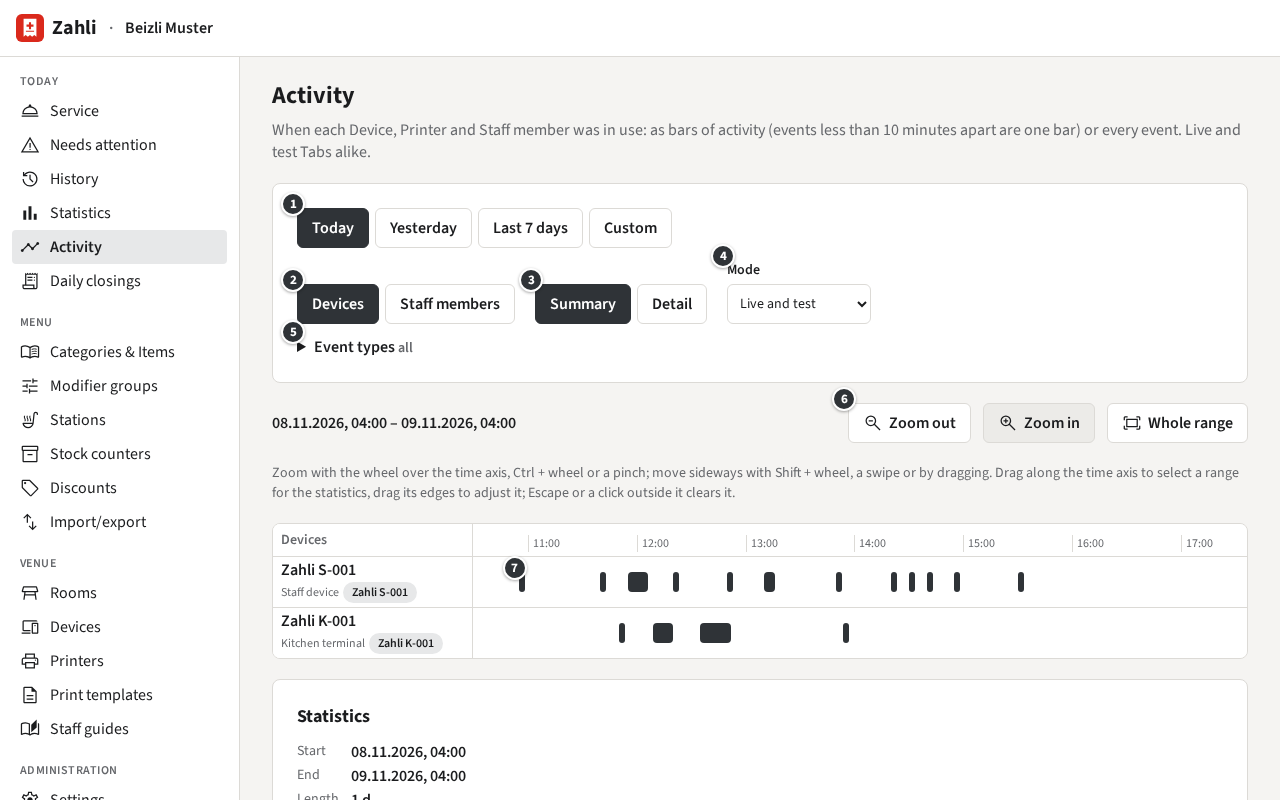
Choose what the timeline shows
Section titled “Choose what the timeline shows”- ① The range: Today (the current business day), Yesterday, Last 7 days, or Custom with a start and end time and Show.
- ② The rows: Devices (staff Devices, kitchen terminals and Printers, Zahli’s with their Asset number) or Staff members. A row shows only once it has something in the range. On a Staff member’s row a pale bar is the time they were signed in on a staff Device.
- ③ Summary draws bars ⑦, events less than 10 minutes apart forming one; Detail draws every event as a mark of its own.
- ④ Mode: Live and test, Live only or Test only; test events are drawn in the TEST style.
- ⑤ Event types: tick which to show, from Round sent, Payment taken and Refund to Ticket done on the kitchen terminal and Not printed on a Printer.
- ⑥ Zoom in, Zoom out and Whole range; the mouse wheel over the time axis zooms too, and dragging the rows moves sideways.
Rounds and Payments made in a browser belong to no Device: they show on the Staff member’s row only.
Open an event
Section titled “Open an event”Click a bar to list its events, or a mark in Detail to see one: its time, Tab, amount, method, Staff member and Device.
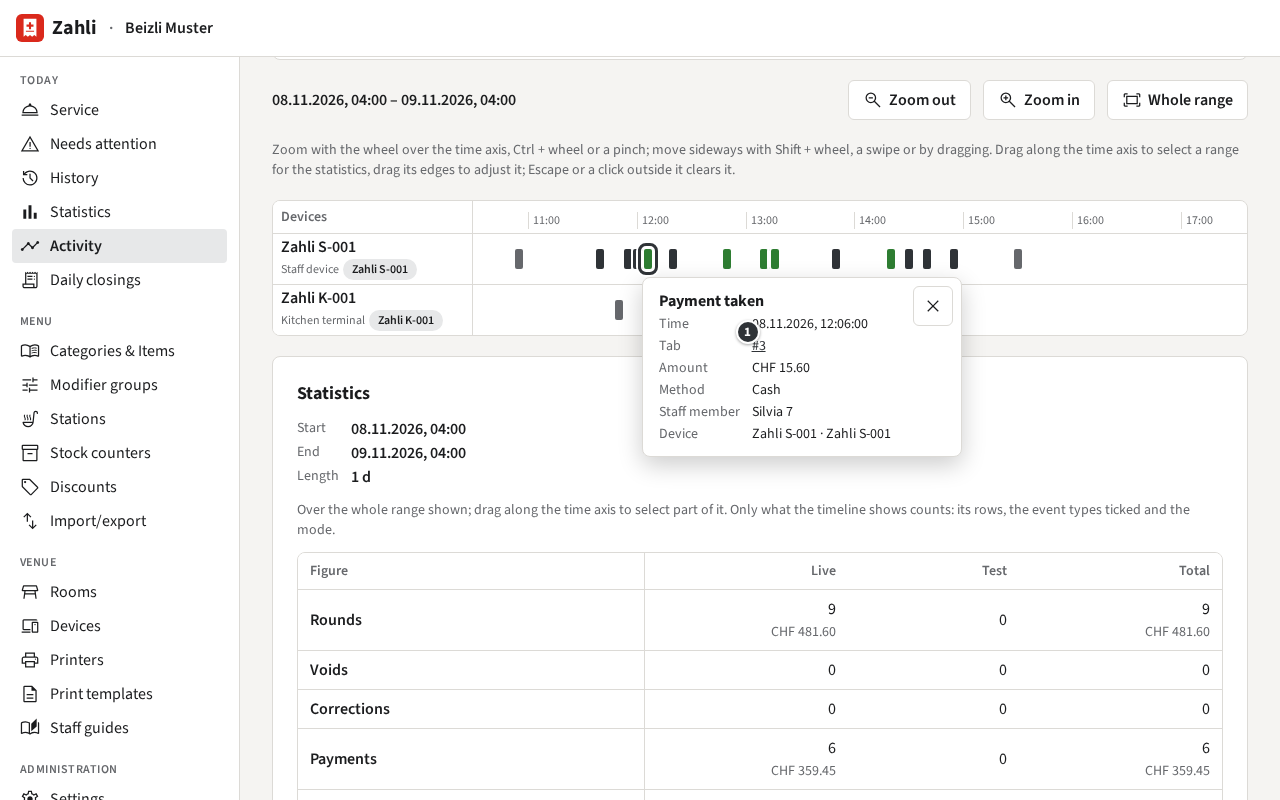
The Tab number ① opens the Tab detail. Its Back to Activity brings you back to the timeline as you left it.
Statistics of a range
Section titled “Statistics of a range”Below the timeline, Statistics adds up what the timeline shows: its rows, the event types ticked and the mode. Drag along the time axis to select part of the range ①; drag its edges to adjust it, and Clear selection ③ (or Escape) goes back to the whole range.
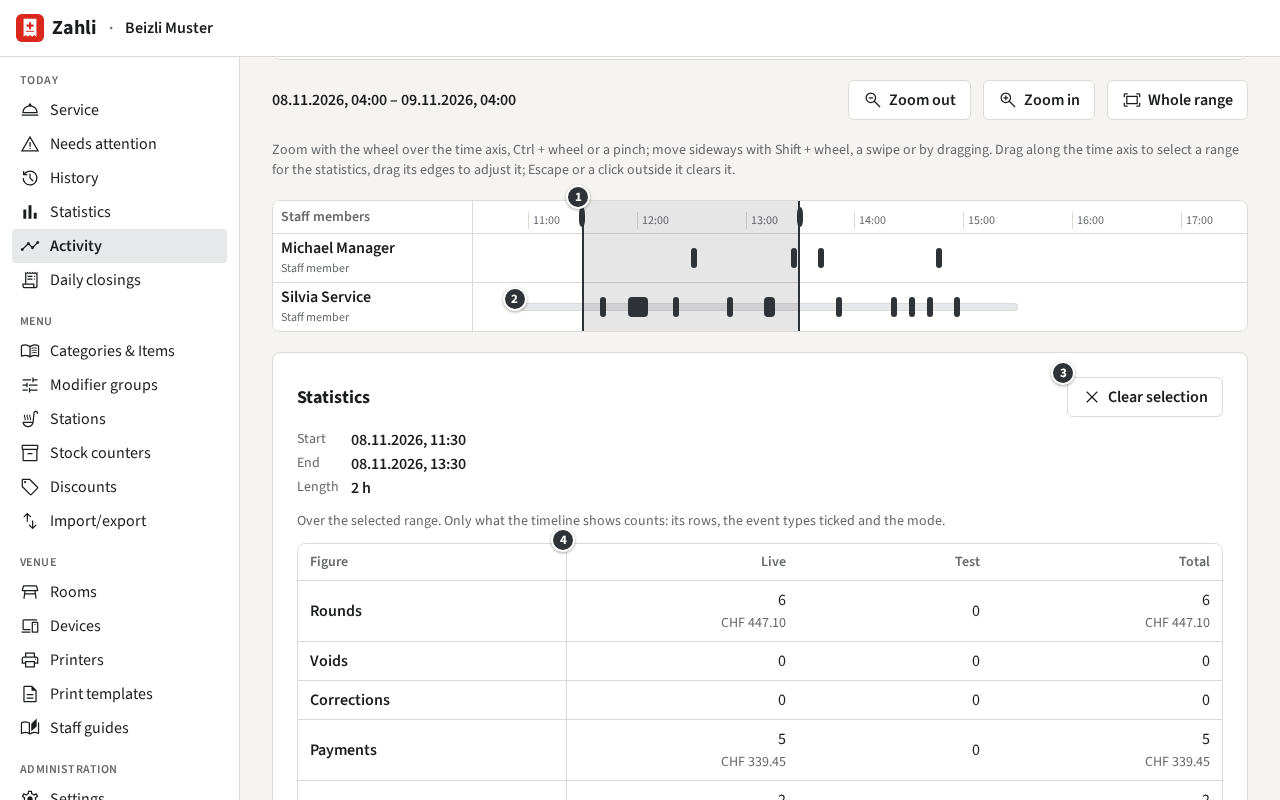
The figures stand in Live, Test and Total columns ④: Rounds, Voids, Corrections, Payments per method, Tips, Refunds and Net taken; for Printers also the Tickets, Receipts and Guest slips printed and roughly how much paper they took. Then By row, and under Never active the rows with nothing in the selection.
For revenue, use Statistics: it counts live Tabs only and by business day.
Example: Michael wants to know how lunch went. Under Devices he sees the kitchen terminal K-001 marking Tickets done soon after Silvia’s Rounds from S-001. He switches to Staff members, where Silvia’s pale bar ② shows her signed in from just before eleven, and drags from 11:30 to 13:30 to see the Rounds and Payments of those two hours.