
Your screen
The kitchen terminal shows the Tickets of its Stations as cards, open ones first.
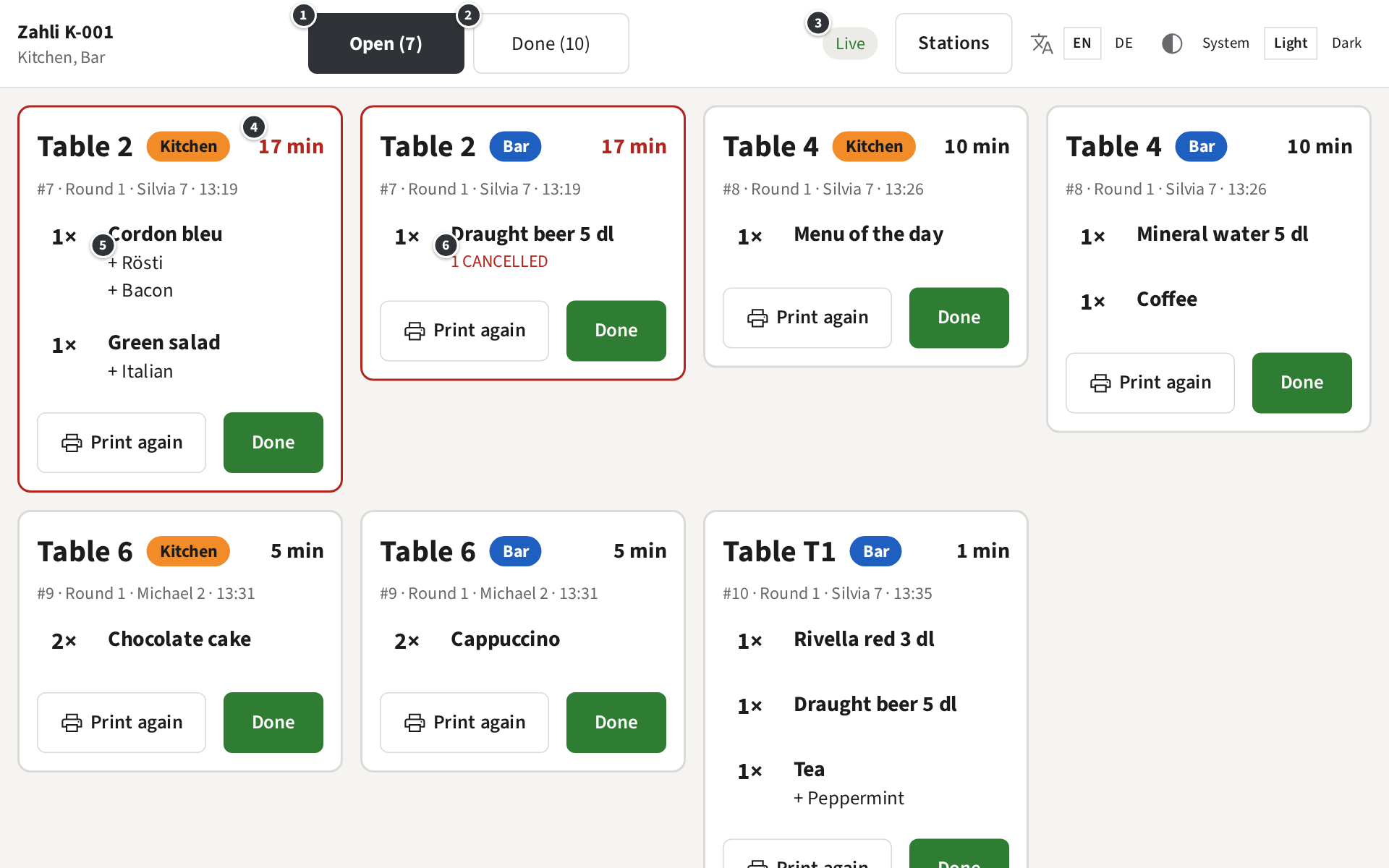
- ① Open (7) lists the Tickets still to make, the oldest first, at the top left. New ones join at the end.
- ② Done (10) lists the Tickets done today (Done Tickets).
- ③ Live means the screen gets new Tickets as they are sent.
- ④ how long ago the Round was sent. From 15 minutes on, the time and the card’s border turn red.
- ⑤ the Modifiers of an item, below it with a +: Cordon bleu + Rösti + Bacon. A Note from the Waiter follows with », a Note on the whole Round below the items.
- ⑥ 1 cancelled: the Waiter took one of the two beers off the Tab. Make only what is left; the printer usually prints a cancellation for it too. An item cancelled in full is crossed out.
When the tablet shows more than one Station, each Ticket carries a badge with its Station’s name in its colour, here the orange Kitchen and the blue Bar. A tablet for one Station shows no badge. Top left, the screen names the tablet and its Stations: Zahli K-001 · Kitchen, Bar.
Example: at 13:37 at Beizli Muster, Table 2 has waited 17 minutes for its cordon bleu and its beer, both red; the cook starts with them, the bar pours one beer, not two.
Without a connection
Section titled “Without a connection”When the tablet loses the internet, the screen says Offline and No connection to the server. Showing the last known Tickets; new Tickets appear once the connection is back. Keep working from the screen and the printed Tickets; it connects again by itself.