
Taking a Round
This guide shows what applies to your venue.Show everything
Example: at Table 2 the guests order two beers, a peppermint tea with honey and a cordon bleu with salad.
Pick from the menu
Section titled “Pick from the menu”On the Tab, tap Add items. The menu shows one Category at a time ①; tap another or swipe sideways over the items. Tap an item ② to add it.
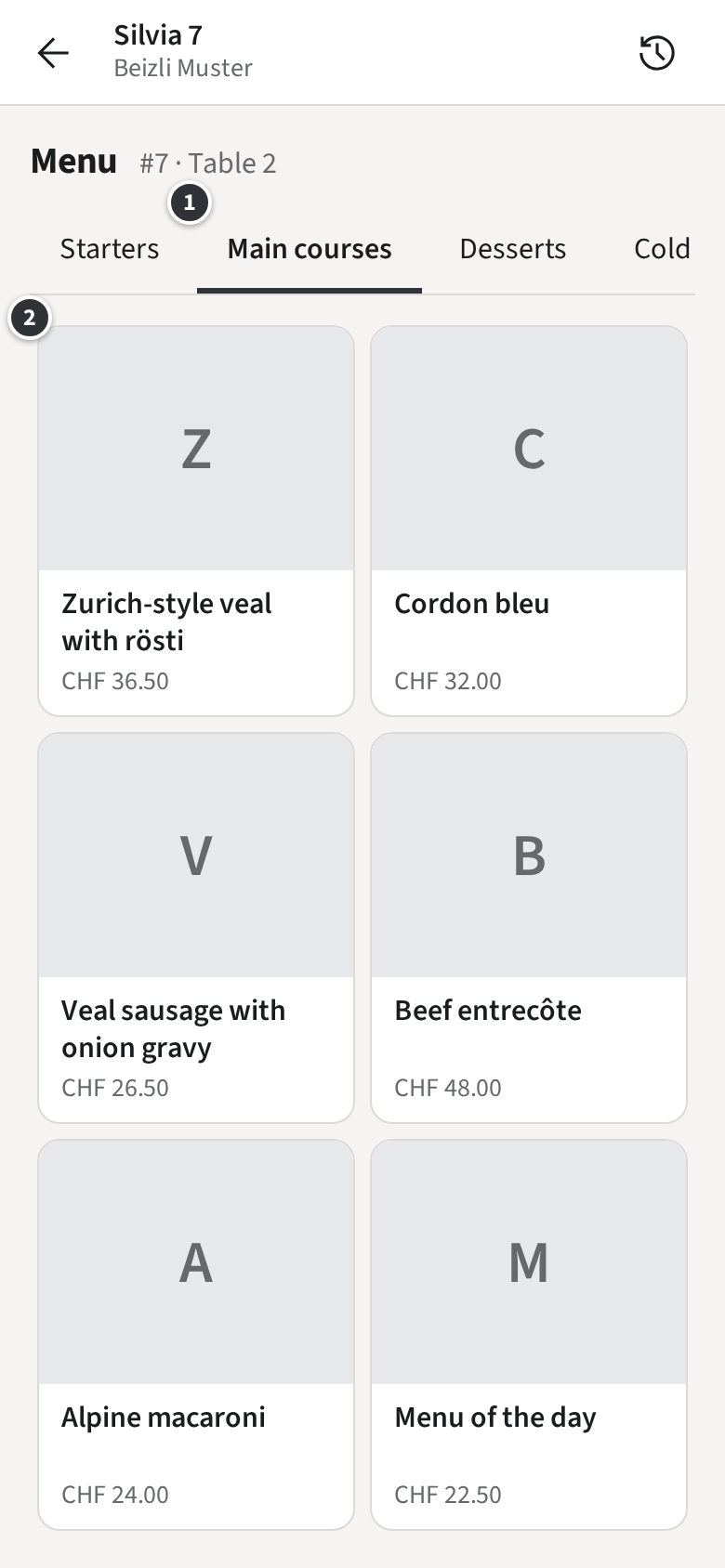
- An item without choices, such as the beer, is added at once; its tile counts how many you added. Tap it twice for two beers.
- An item with choices opens its dialog first.
- When you are done, tap Done at the bottom to go back to the Tab.
Modifiers and Follow-up groups
Section titled “Modifiers and Follow-up groups”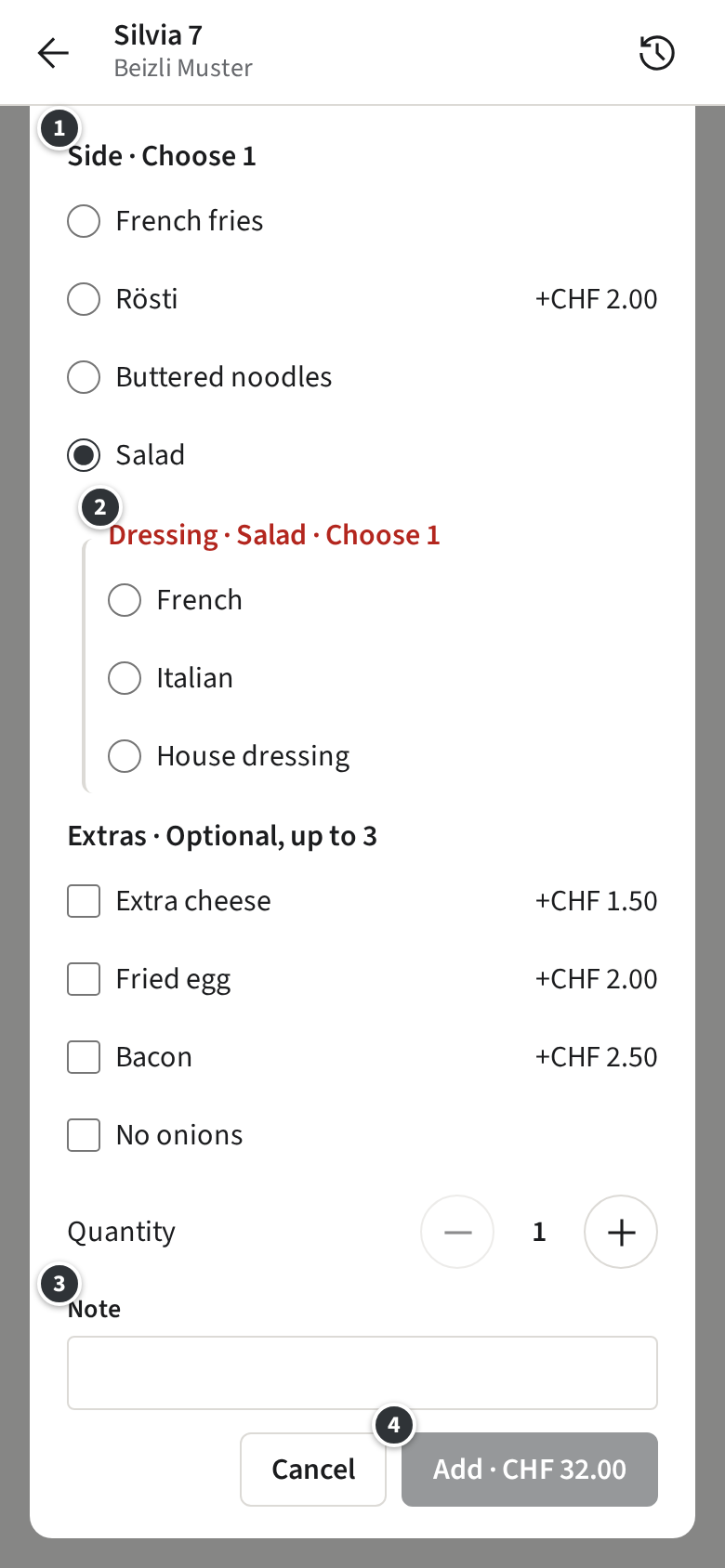
Each group ① says how many to pick: Choose 1 must be picked, Optional, up to 3 may be. A group in red still needs a pick. A price change, such as +CHF 2.00 for Rösti, is added to the item.
Some picks open a Follow-up group right below them ②: picking Salad as the side of the cordon bleu asks for Dressing · Salad. Unpick the salad and the dressing goes with it.
Under ③ Note, write what the kitchen should know about this item, such as “no sauce”. Set the quantity and tap ④ Add · CHF 32.00; it is enabled once every group is complete.
Some items need a Note, because one menu entry stands for several things: Beizli Muster’s Homemade cake asks which cake. Its dialog says Note (required) and adds nothing without one.
Check the Draft
Section titled “Check the Draft”What you picked is your Draft: it waits on the Tab until you send it.
Only with Open tabs
Only with Pay-first
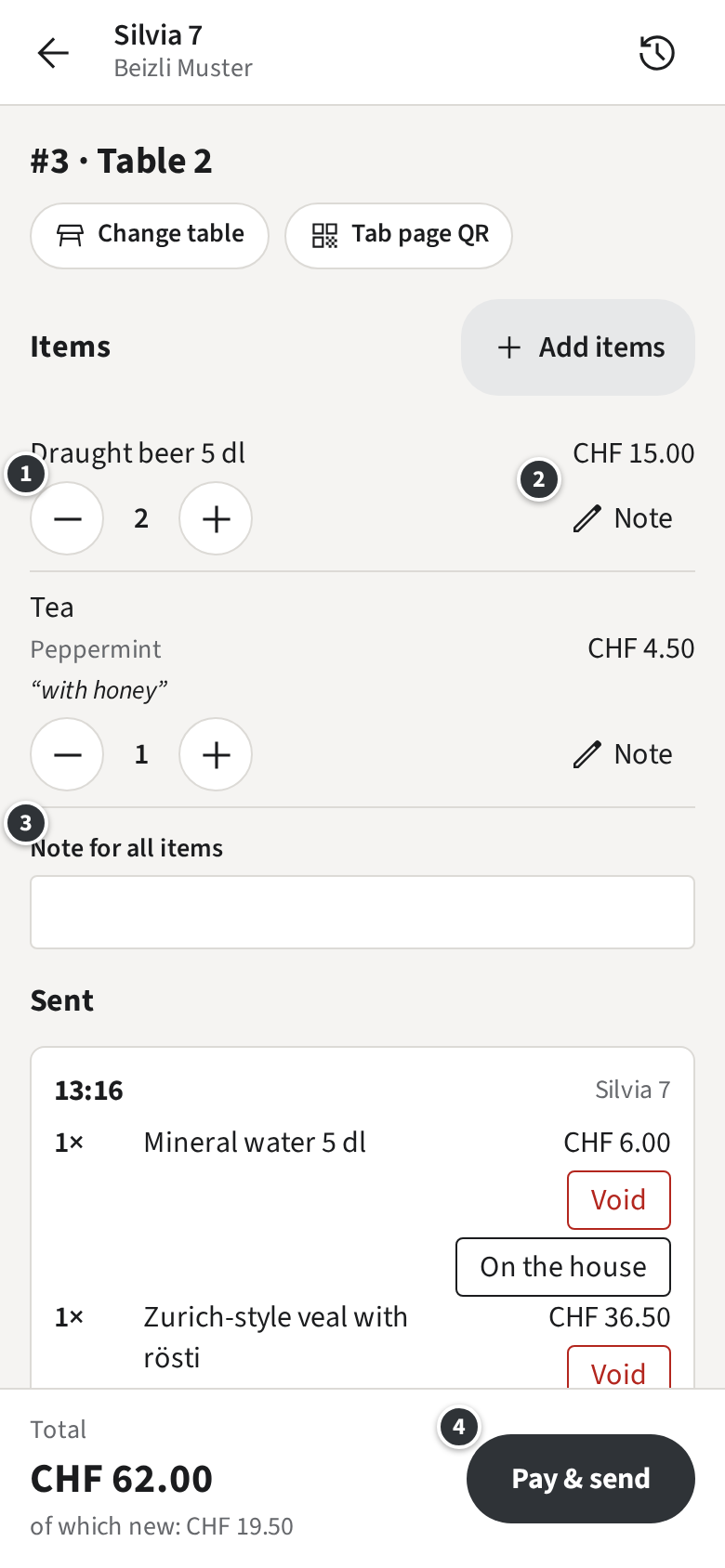
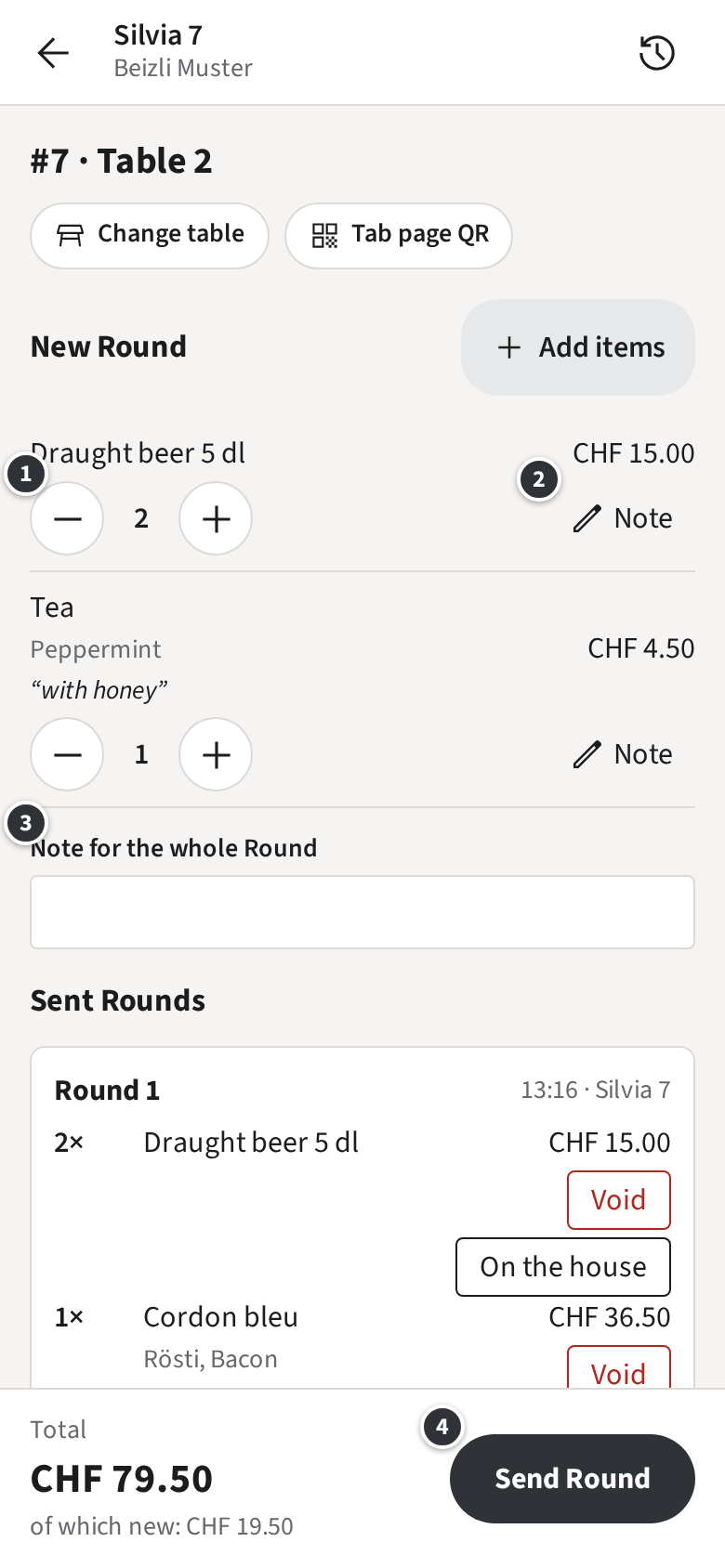
- ① changes the quantity; one fewer at 1 removes the line.
- ② Note adds or changes the item’s Note.
- ③ is a Note for everything you send now, such as “starters together”.
- ④ sends: Only with Open tabs Send Round. The Tickets print at the Küche and the Bar at once.Only with Pay-first Pay & send takes you to the Pay sheet; see Pay-first.
The Draft stays on this phone or browser, for you only, even if you close the app or it updates. Your colleagues do not see it; in the Rooms, the Table shows a pencil badge with the number of items so you find it again.
After sending
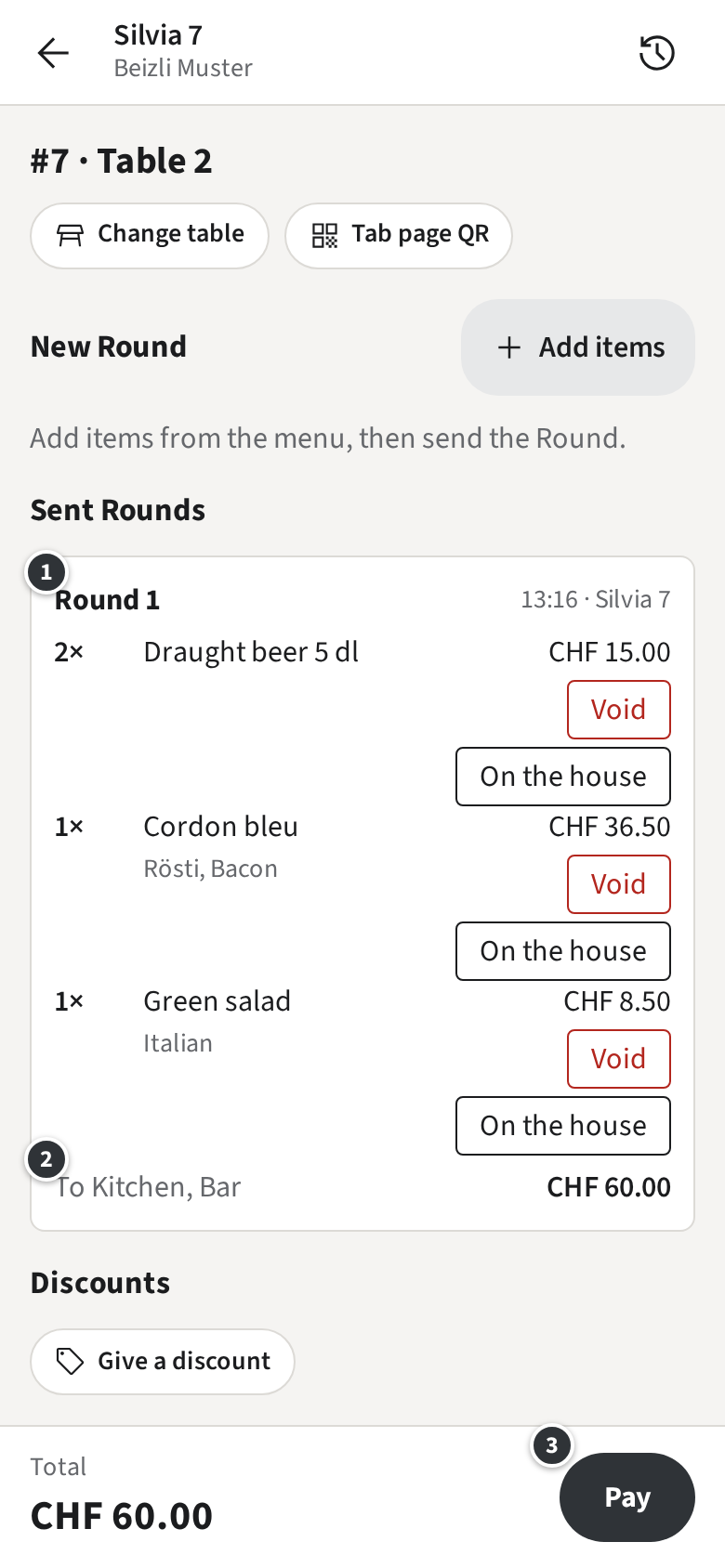
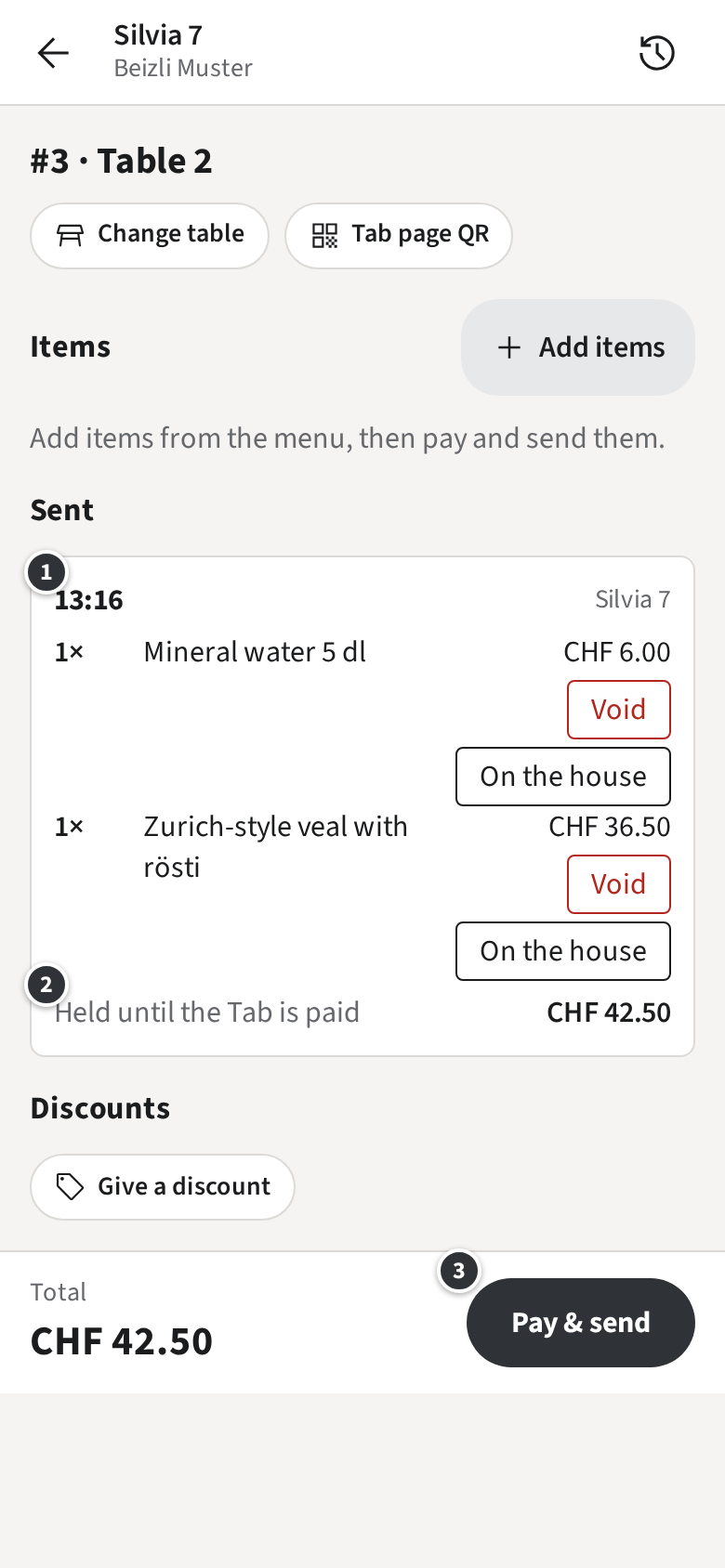
Section titled “After sending”The Round appears on the Tab ①, with who sent it and when. ② says which Stations got it. The total grows; ③ takes the guest to paying when they leave.
Only with Open tabs
Only with Pay-first
If an item ran out while you were picking, the Draft marks it Sold out: remove it to send.; remove it and send the rest (Sold out).