
Free-form Discounts, Corrections and Refunds
A Waiter gives Discounts from presets and items on the house, and corrects only Payments they took themselves, on the same business day. A Manager may do more, on every Tab, in the staff app.
A Discount of your own
Section titled “A Discount of your own”Example: Table 2 waited long for the mains, and Michael takes CHF 6.00 off.
- On the open Tab, tap Give a discount.
- Choose ① Percentage or Amount and enter it ②: 6.00.
- Write the reason ③; it is required and stays with the Discount. Tap Give discount ④.
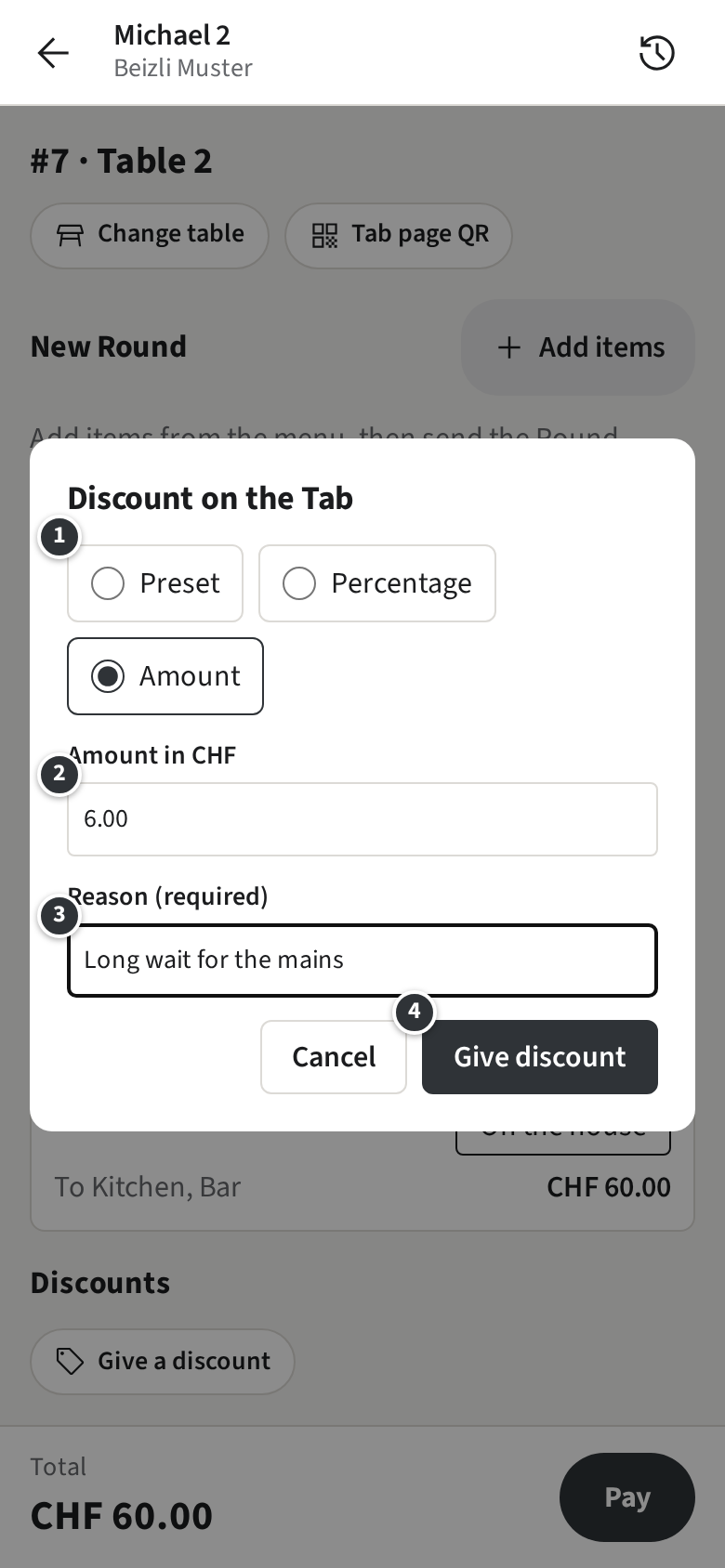
Table 2 then comes to CHF 54.00 instead of 60.00. Under Preset you also find the presets Waiters may not give, such as Staff meal at 50 %.
A Discount is given only on an open Tab, never for more than is left to pay, and stays once given. A percentage also takes off Rounds sent after it. Once the Tab is paid, money goes back with a Correction and a Refund.
Correct any Tab
Section titled “Correct any Tab”You correct as the Waiter guide shows, but on any Tab, from any day, whoever took the Payment.
Example: the regulars at Table 3 paid CHF 104.85 by Twint to Silvia, with their 10 % off. Later it turns out one of their three Pinot Noir never came. Michael opens the Tab, for example from the History, taps Correct items, picks one Pinot Noir and taps Correct. The guests are owed CHF 7.65, the CHF 8.50 less their 10 %, and the Refund opens on the Twint Payment with that amount filled in.
Give money back
Section titled “Give money back”On a Payment of the Tab, tap Refund. Unlike a Waiter, you choose how the money goes back ①:
- By the way it was paid, such as Back by Twint: the default.
- In cash, whatever the guest paid with, for example when the guest stands at the counter and wants the money now.
- Where the Payment provider can no longer refund a Payment it took, the Refund offers In cash and Done in the provider’s back office: for the second, refund it in the provider’s back office first, then record it here.
You may also give back more than a Correction owes, or money without any Correction: a plain Refund ③, where the items stay on the Tab.
Example: a guest at Table 3 says the entrecôte was cold. Michael gives CHF 10.00 back in cash and leaves the entrecôte on the Tab.
- On the Twint Payment, tap Refund.
- Choose In cash ①, enter 10.00 ② and add the reason if you like.
- Hand over the cash and tap Refund ④.
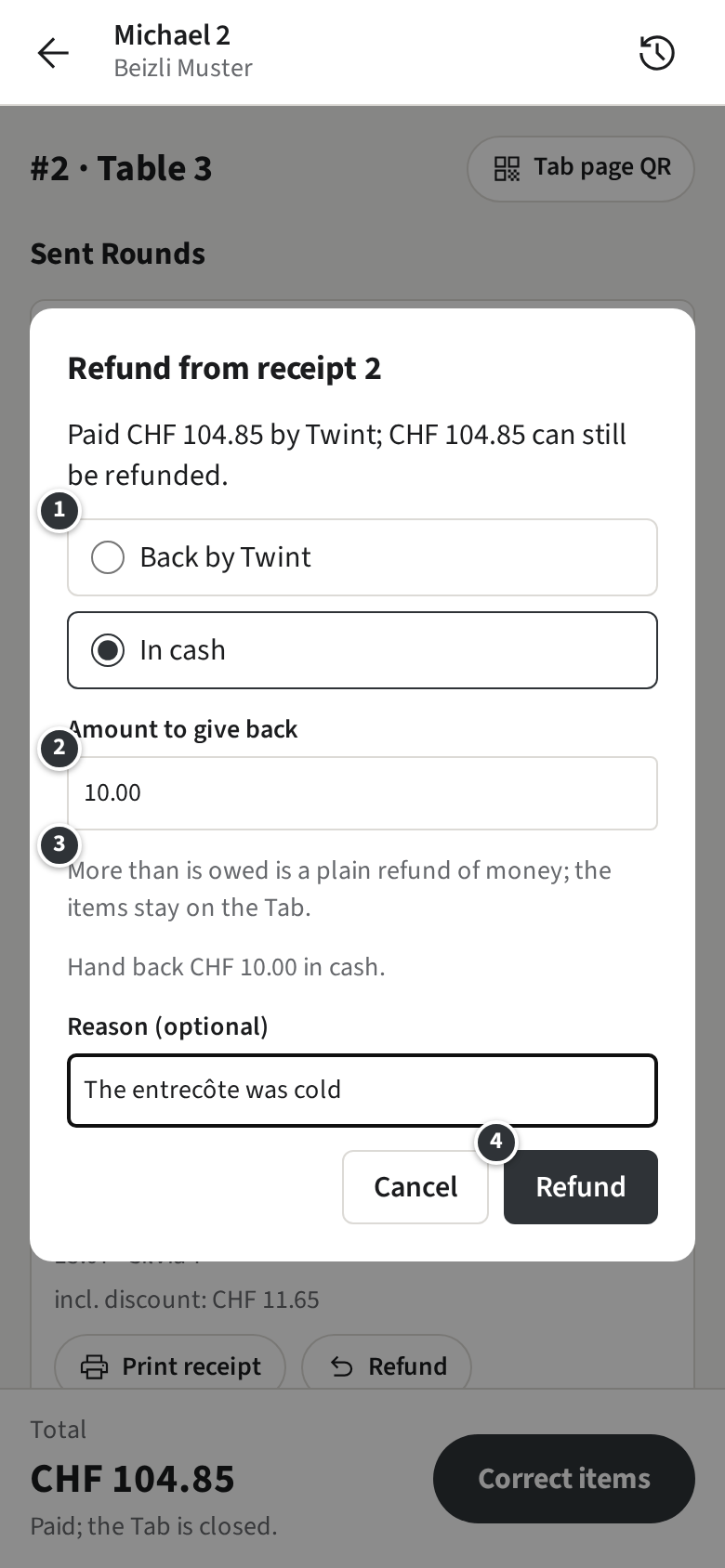
Each Refund gets its own Receipt number and shows on the Tab and in the History. The Tip is never refunded; it stays with whoever took the Payment. Cash goes back rounded to 0.05, and a Payment taken offline can be refunded once it is synced.