
Locale and currency
The venue’s locale and currency are in the card Locale and security under Administration → Settings. Change them and click Save at the end of the card.
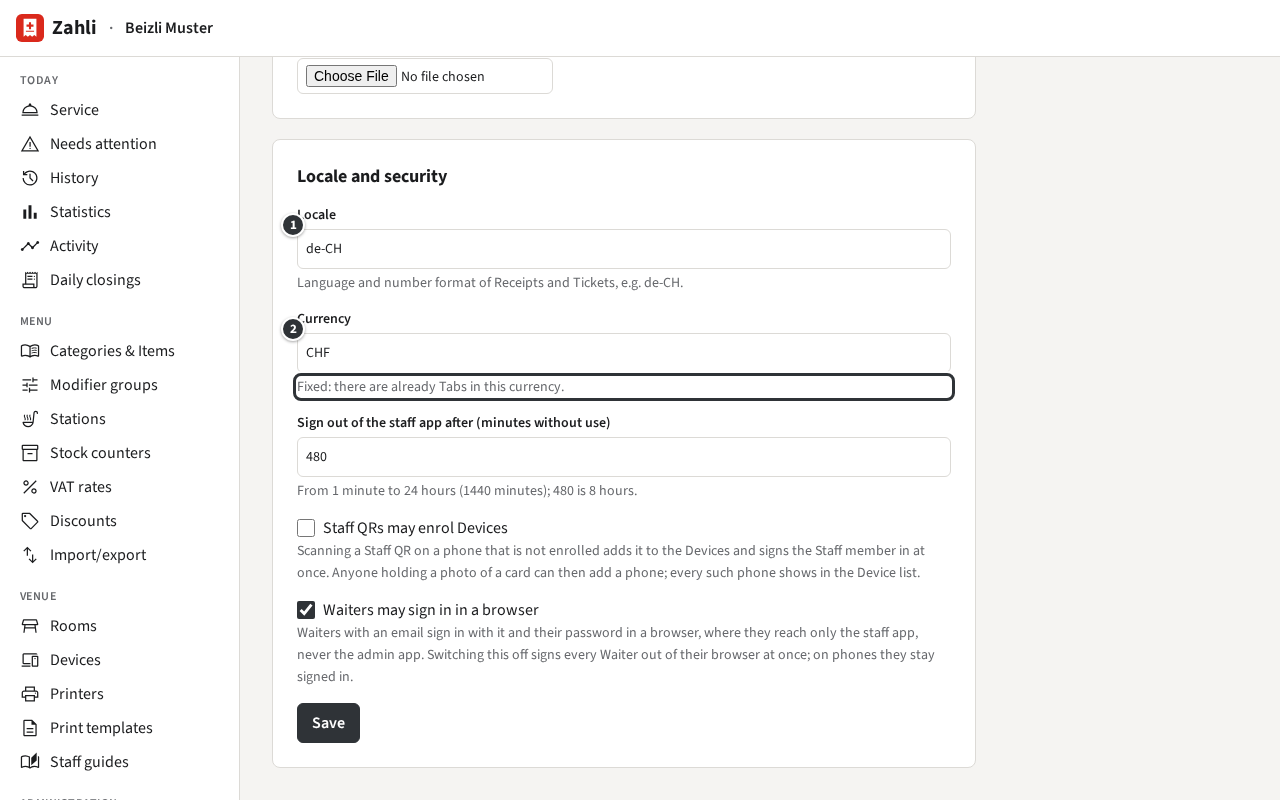
Locale
Section titled “Locale”① Locale is a language and a country, such as de-CH, fr-CH, it-CH or
en-CH. It sets:
- the language of Receipts, Tickets, Guest slips and Daily closings: German for a German locale
(
de-…), English for every other; - how amounts, dates and times are written on them, and in the staff and admin app for everyone.
It does not set the language of the apps: each Staff member chooses their own (Your language in the admin app, Your language in the staff app), and the words the Tenant wrote, such as Item names, stay as they were entered.
Currency
Section titled “Currency”② Currency, CHF or EUR, is what every price and Payment is in. It can be
chosen only until the first Tab is opened, test Tabs included; then the card says
Fixed: there are already Tabs in this currency. Set it before the venue starts serving, even for training.
Example: Beizli Muster in Zürich has de-CH and CHF. Its Receipts are in German, even when
Silvia has switched her staff app to English. A venue in Lausanne would choose fr-CH; its prints
are then in English, since Zahli prints in German and English only.