
Pay-first
This guide shows what applies to your venue.Show everything
Only with Open tabs
Your venue works with Open tabs: what you send goes to the Stations at once and the guest pays later. This topic is for venues where the guest pays first.
Only with Pay-first
Your venue works Pay-first: what you pick goes to the Stations only once the Tab is paid in full. The staff app speaks of items rather than Rounds.
Example: at Table 2 the guests want a mineral water and the Zurich-style veal.
- Open Table 2 and pick the items as in Taking a Round. The Draft is titled Items.
- Tap Pay & send. The items are saved on the Tab and the Pay sheet opens.
- Take the Payment (Paying). Once the Tab is paid in full, the Tickets print at the Stations.
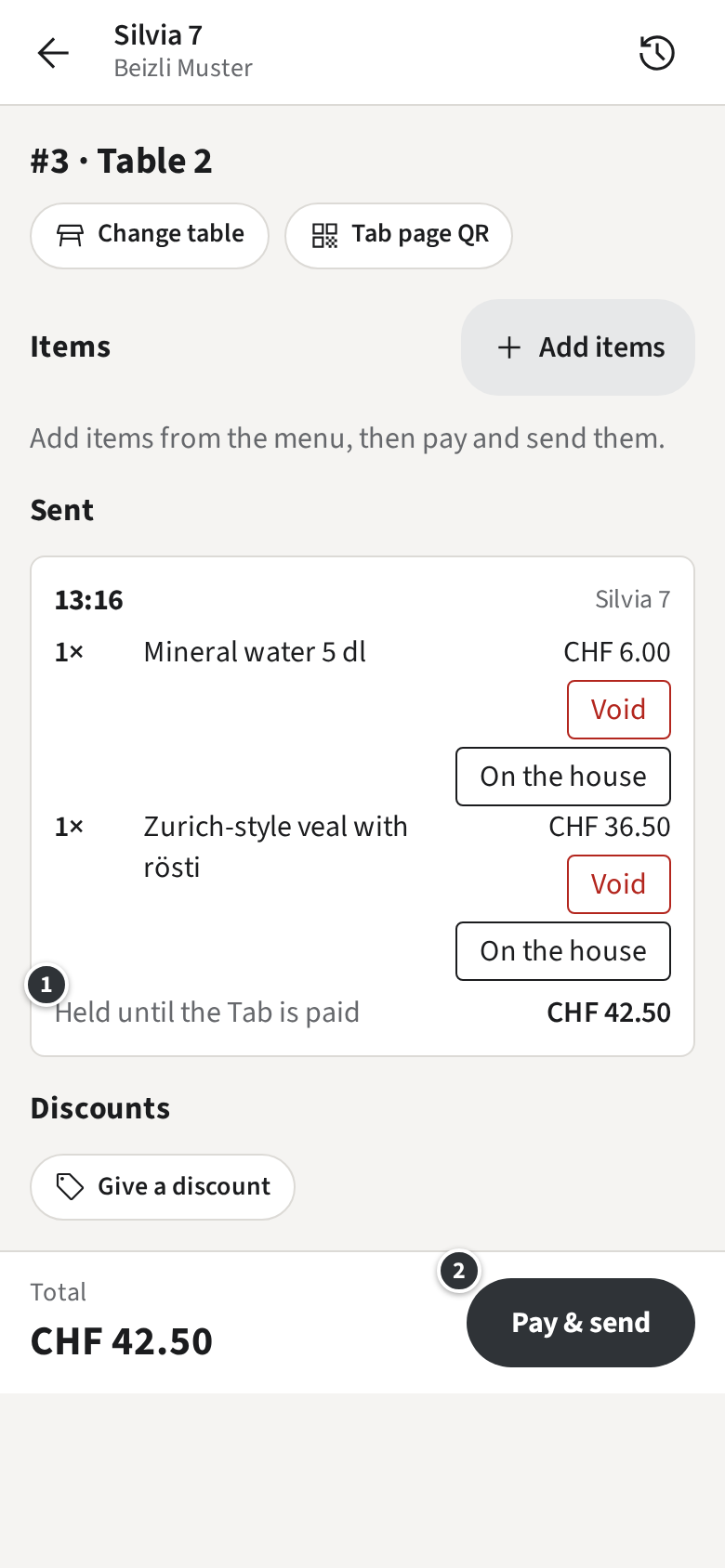
If the guest does not pay right away, the items wait on the Tab ①: Held until the Tab is paid. ② Pay & send takes you back to paying.
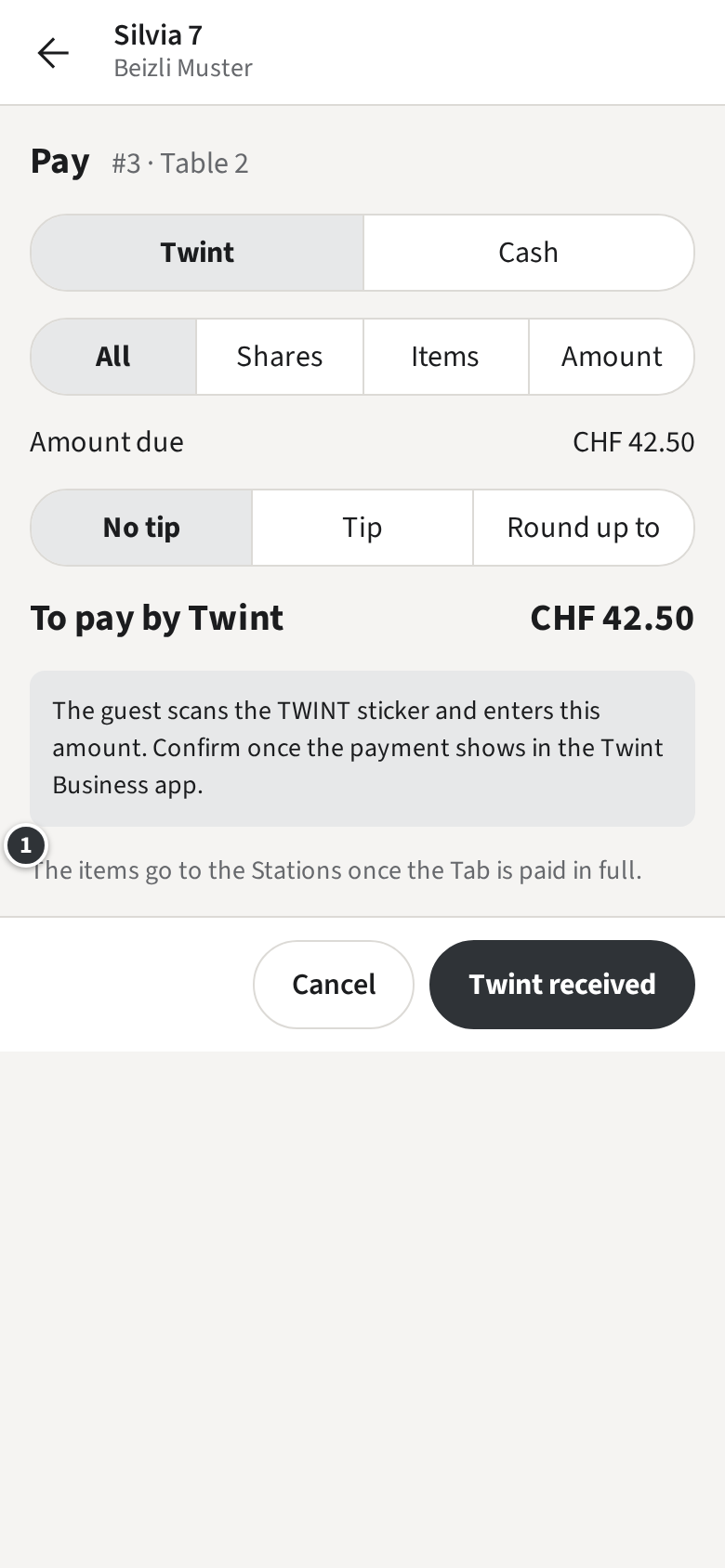
The Pay sheet reminds you ①: The items go to the Stations once the Tab is paid in full.
Sent items are titled by their time and Receipt number rather than “Round 1”, and Tickets show the Tab number. A guest who orders more later gets a new set of items, paid the same way.