
Rooms and Tables
This guide shows what applies to your venue.Show everything
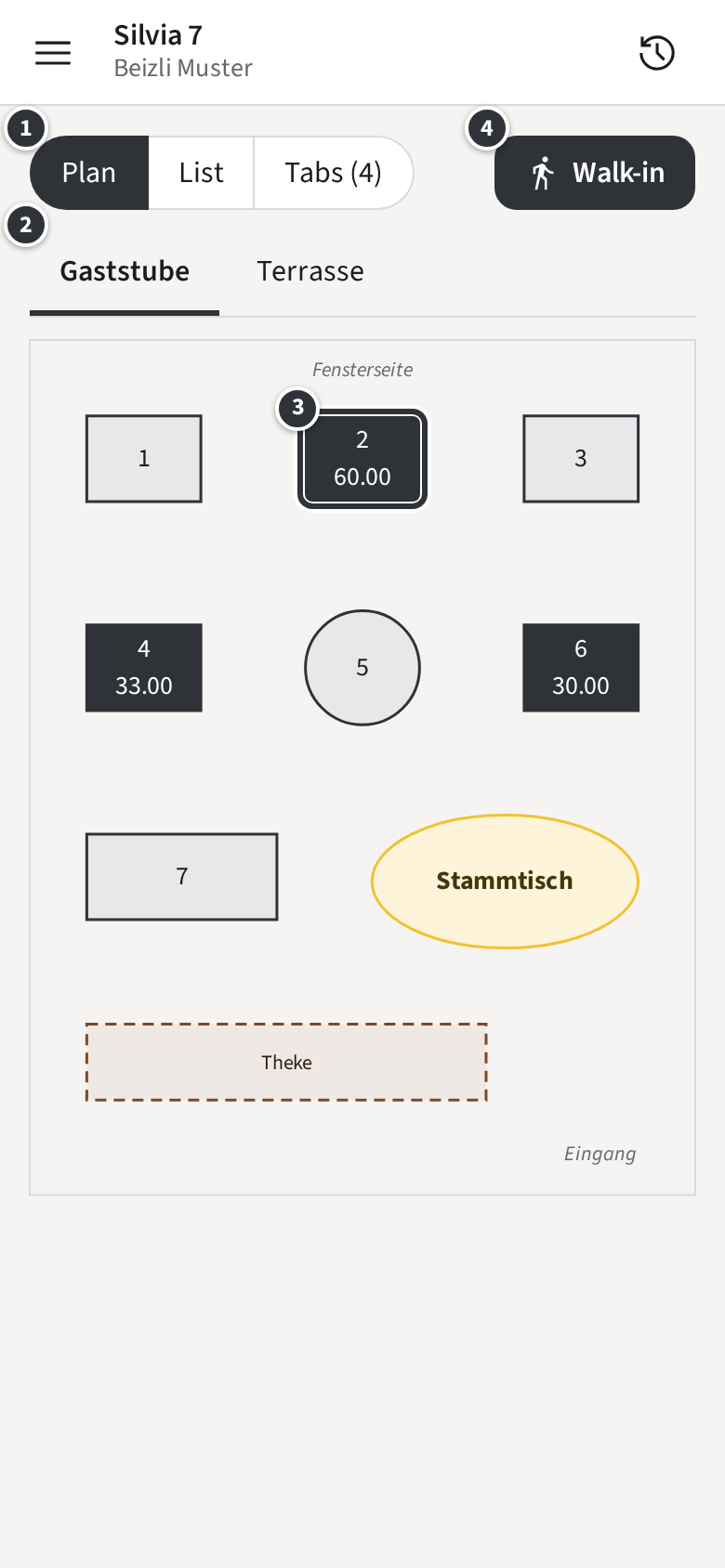
After signing in you see the Rooms: each Table where the venue has placed it, with the amount of its open Tab.
Only with Open tabs
Only with Pay-first
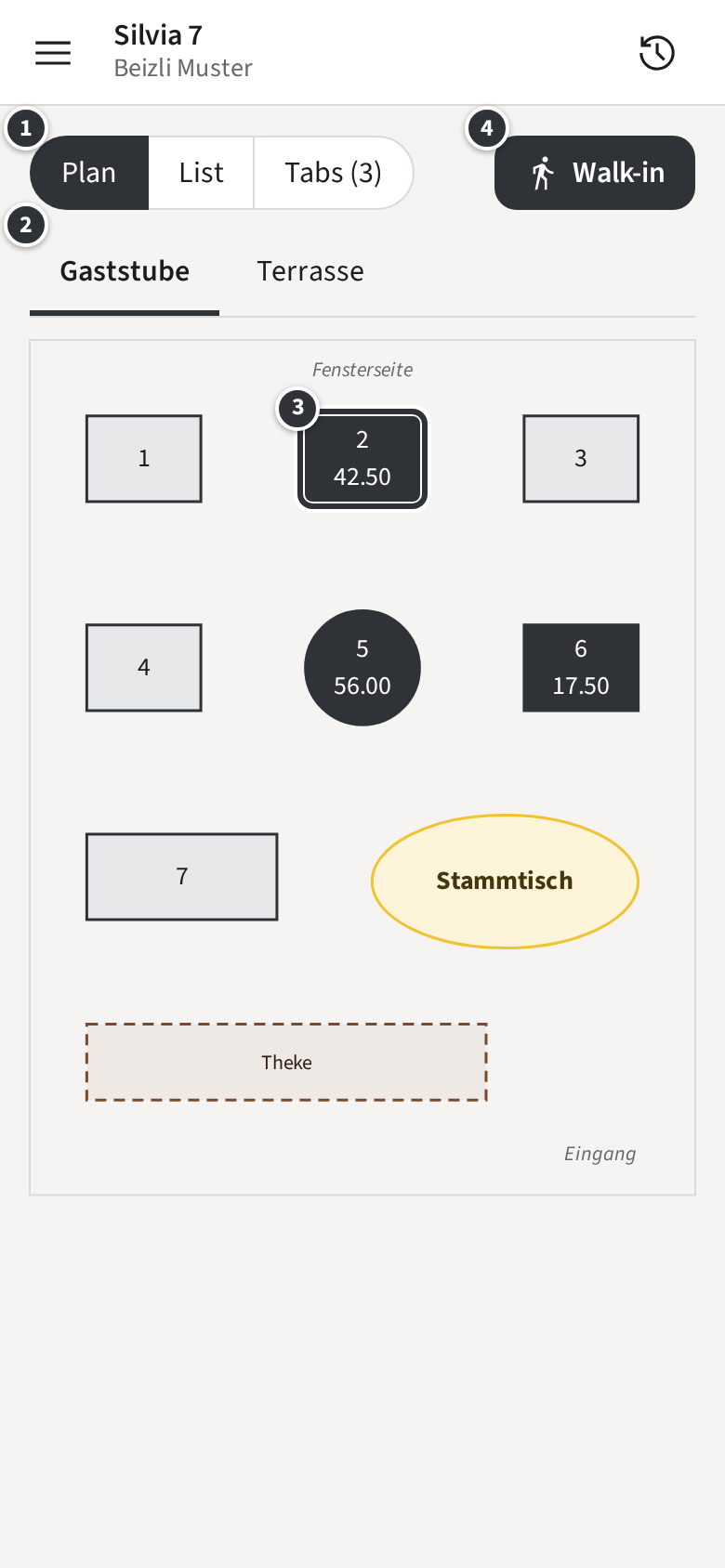
- ① switches between Plan, List and the open Tabs.
- ② picks the Room. Swipe sideways over the plan to go to the next one. With a single Room, there is no Room row.
- A dark Table ③ has an open Tab and shows what it amounts to; a light one is free. In Beizli Muster, Table 2 has a Tab of CHF 60.00.
- Only with Walk-ins ④ Walk-in opens a Tab without a Table (Opening a Tab or a Walk-in).
Tap a Table to open its Tab. A Table with a pencil badge holds your Draft: items you picked there but did not send yet.
The list
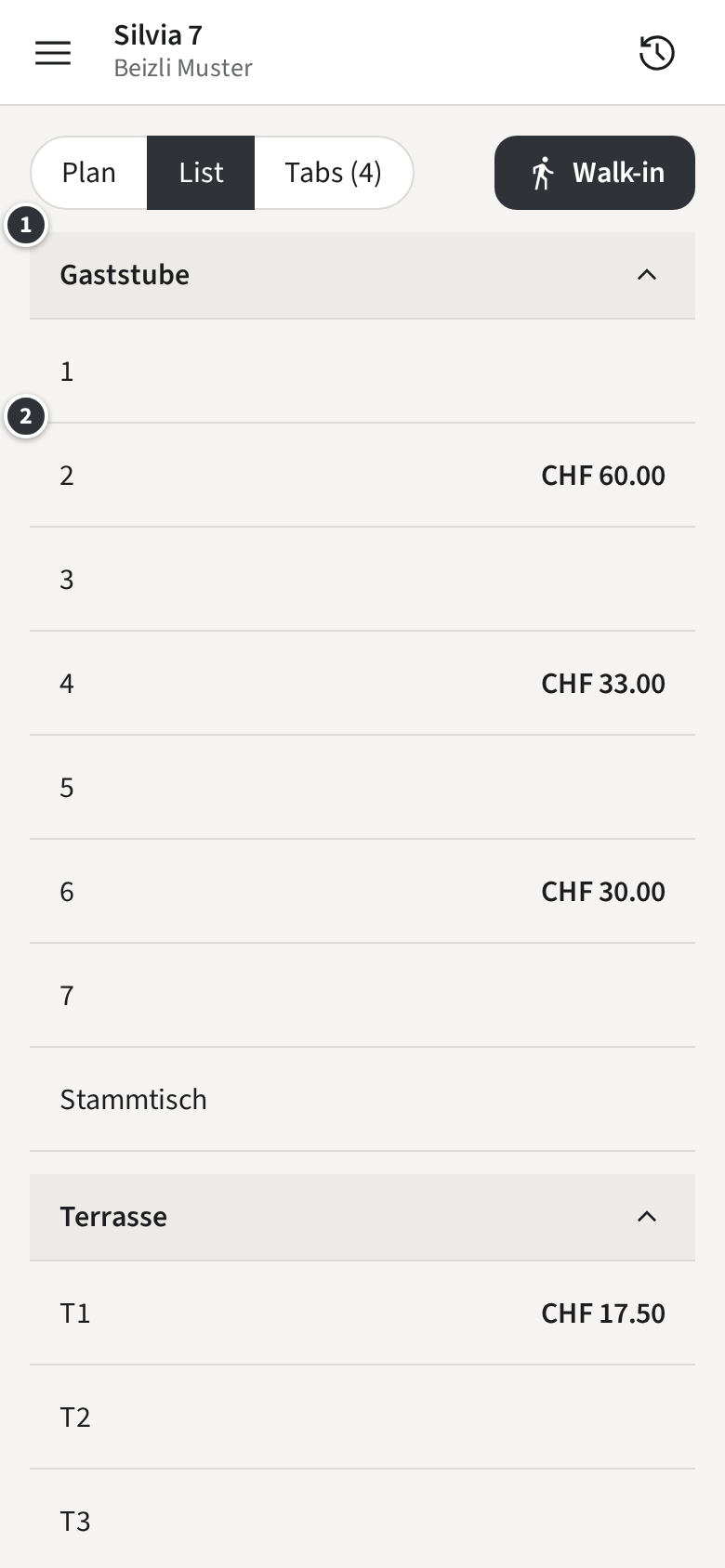
Section titled “The list”List shows the same Tables sorted by name, under a heading per Room ①; tap a heading to fold its Tables away. A Table with an open Tab shows its amount ②.
The open Tabs
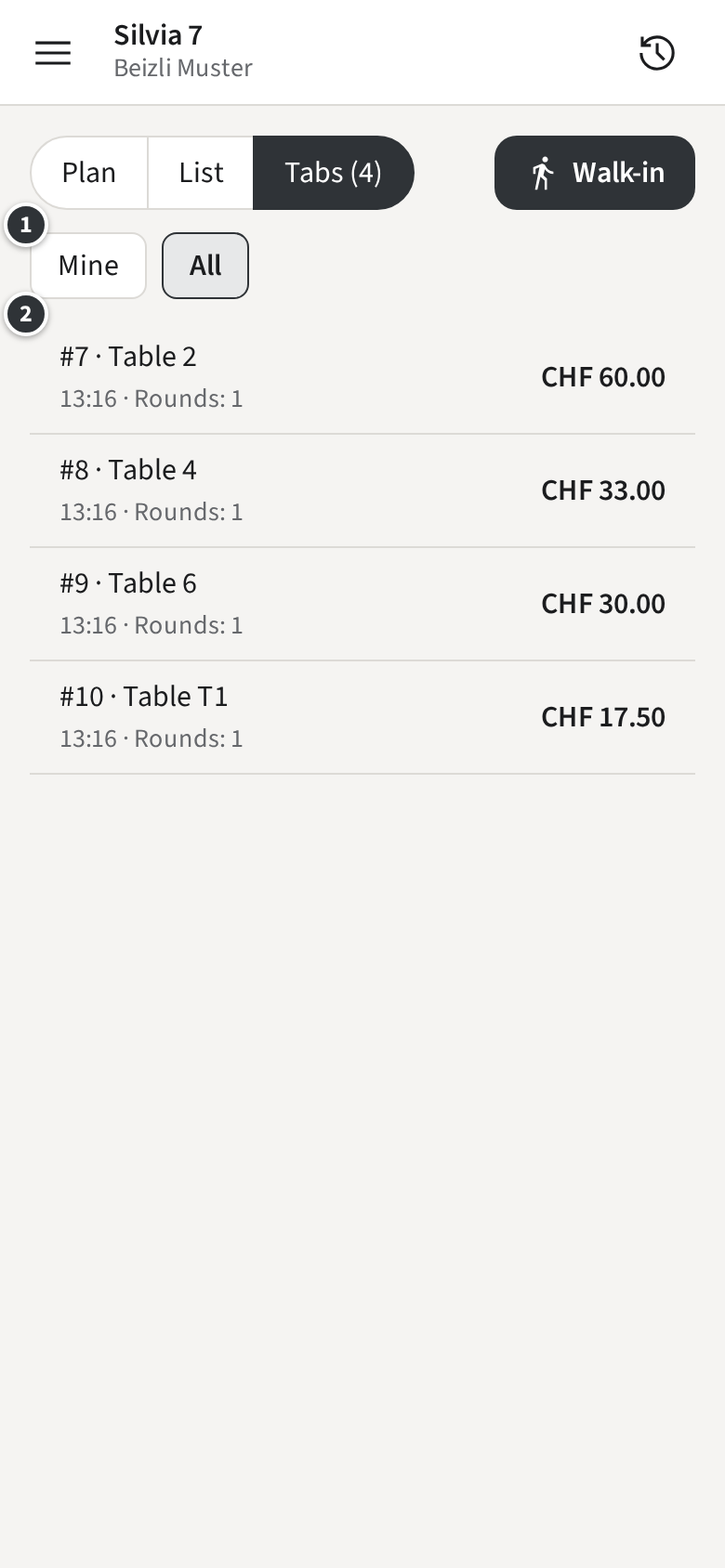
Section titled “The open Tabs”Tabs (4) lists every open Tab with its Tab number, its place, when it was opened and its amount. ① filters: Mine shows only the Tabs you opened, All those of the whole team. Tap a row ② to open the Tab.
Only with Pay-first
Under Pay-first without Walk-ins, the open Tabs only show when one is open.