
Splits
This guide shows what applies to your venue.Show everything
When the guests pay separately, take one Payment after another on the same Tab. On the Pay sheet, choose how much this Payment covers: Shares, Items or Amount. You can mix them on one Tab.
By shares
Section titled “By shares”Example: the two guests at Table 2 split CHF 60.00 equally.
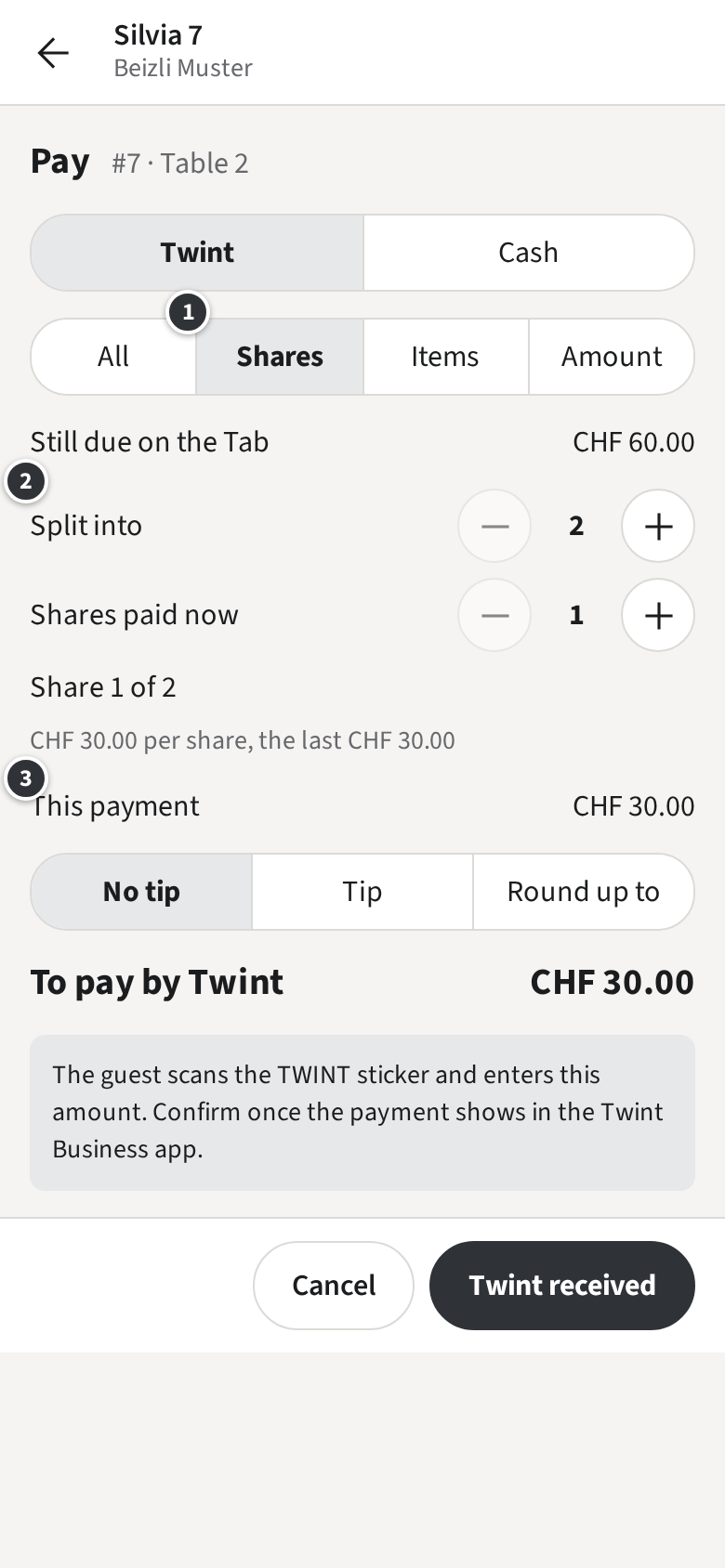
- Tap ① Shares.
- Under ② set Split into to 2 and Shares paid now to 1.
- ③ shows what this Payment is: CHF 30.00. Take it as usual (Paying).
- Tap Next payment for the second guest. The staff app remembers the split.
Shares are rounded to the Rappen; the last share takes what is left.
By items
Section titled “By items”Each guest pays what they had.
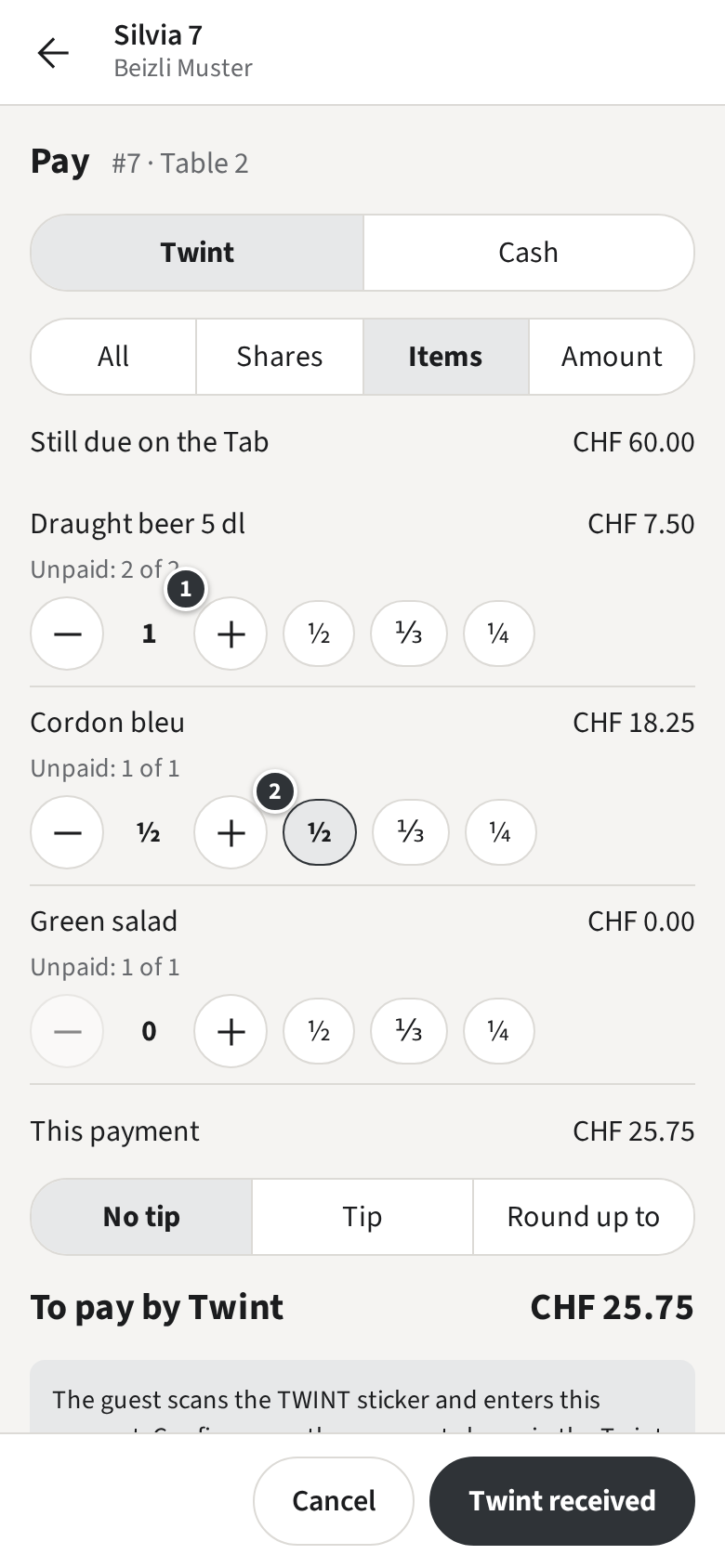
Tap Items and pick the items of this guest with ①. To share an item, such as a bottle of wine, tap ½, ⅓ or ¼ ② next to it. Lines already paid show what is left.
By amount
Section titled “By amount”Tap Amount and enter what the guest pays, such as 25. The rest stays open on the Tab.
Each Payment can have its own method and Tip. The Tab closes when the last one is taken.